




















Desk Calendar Printing Guide
Picture this. You’re sitting across from a client, and you need to schedule a follow-up but you left your phone in the car. What’s that in the middle corner of your desk? Your savior, the desk calendar. You both just look down at the calendar on your desk and pick a date.
That’s it. That’s the whole job.
Desk calendars have been doing that job for decades. They’re useful and a small powerful tool. And when you print one with your logo and information on it, it sits on that client’s desk for an entire year. The purpose of a desk calendar is simple and once you get it, you’ll wonder why you didn’t order one sooner!
Here’s everything you need to know about printing a custom desk calendar with PrintingCenterUSA.
What’s the Purpose of a Desk Calendar?
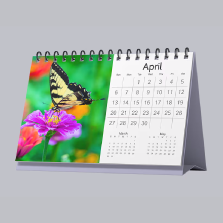
A desk calendar is a printed calendar that stands upright with a base. They’re a unique form of calendar and pretty overlooked.
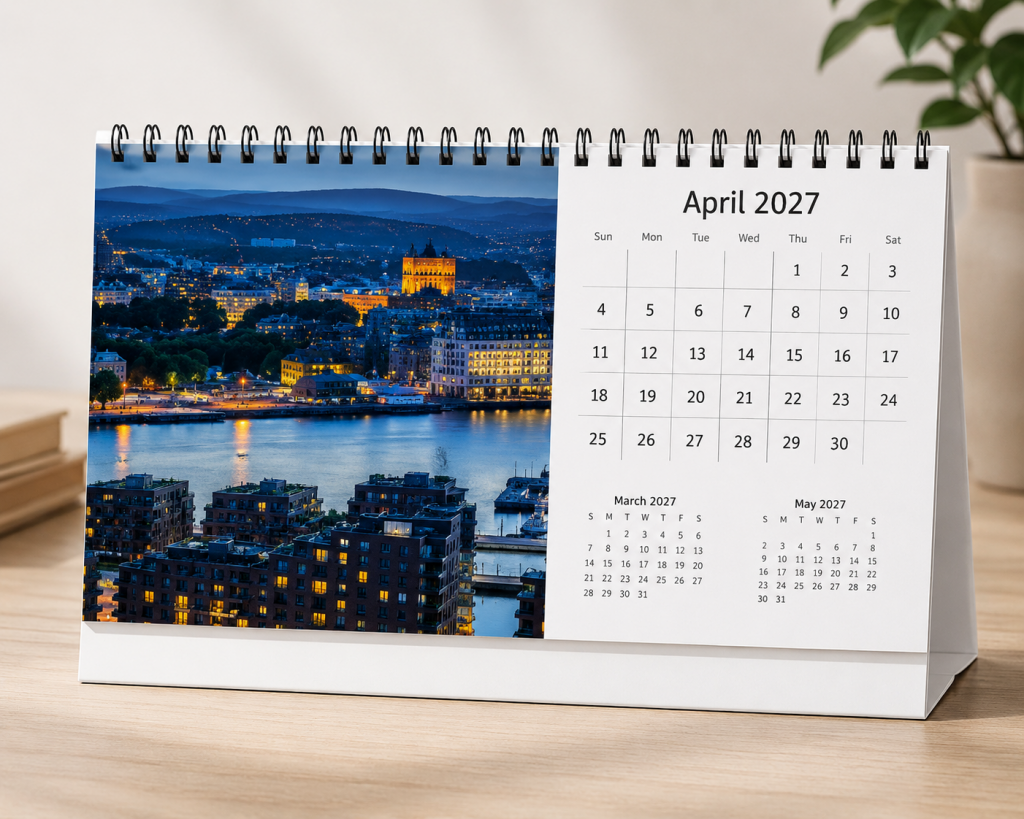

Thanks to the upright stand, they don’t take up a lot of space. Real estate agents, insurance companies, financial advisers, and healthcare offices have used them for so long because the format fits the way those conversations actually work. If something comes up and you both need to agree on a date, the calendar is already there.
Desk calendars are also a unique promotional item for companies across any industry. Because they’re so useful, people are more likely to keep them compared to other print marketing items like brochures or postcards. They’re useful to the person receiving them, and they’re useful to you. When you print a custom desk calendar with your branding on it, it sits on someone’s desk for twelve to sixteen months. All throughout that time, they’re looking at your information which is ideal for awareness and recognition. A desk calendar stays out. And they work for any company across any industry.
Where to Place Your Desk Calendar
The obvious answer is on your desk. For businesses, the front of your desk is the sweet spot. It just needs to be visible to whoever’s sitting across from you so it’s easy for both people to reference. Reception counters work great too, right next to the phone where customers check in. Give them to your customer service teams, inside sales reps, or even keep one in the conference room.
If you’re gifting them, think about where your client actually spends their day. If they work from home, think about that setting. And don’t get too focused on the fact that it sits on a desk. Desk calendars aren’t just a business thing. If you’re printing one or gifting one for personal use, think about a home office desk, a kitchen counter, or a nightstand. Some people design them with family photos so they double as decor.
The rule is simple: put it somewhere you look every single day. That’s where it does its job.
What Size Is a Desk Calendar?
PrintingCenterUSA offers two standard desk calendar sizes: 10″ x 4.5 and 8.5″ x 5.5. Picking the right size usually comes down to whether or not you want advertising space.
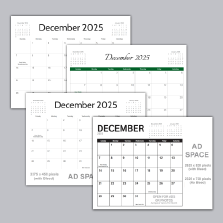
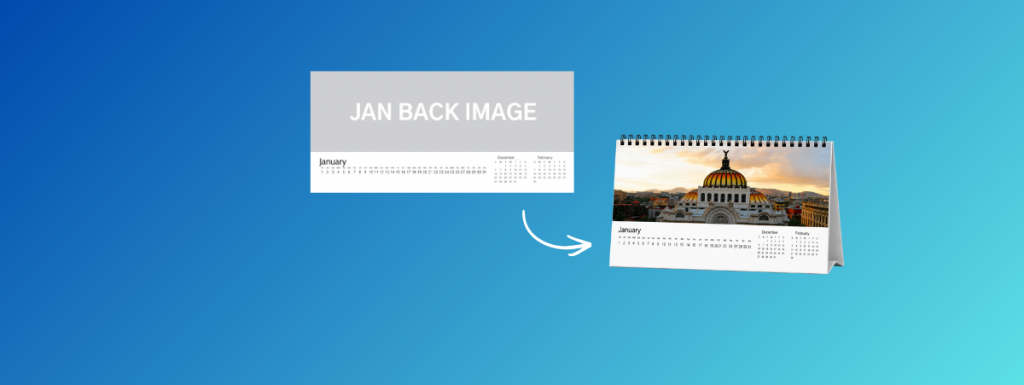
10″ x 4.5″: Wide format with space for advertising next to the image.
8.5″ x 5.5″: Smaller format with calendar days and images only
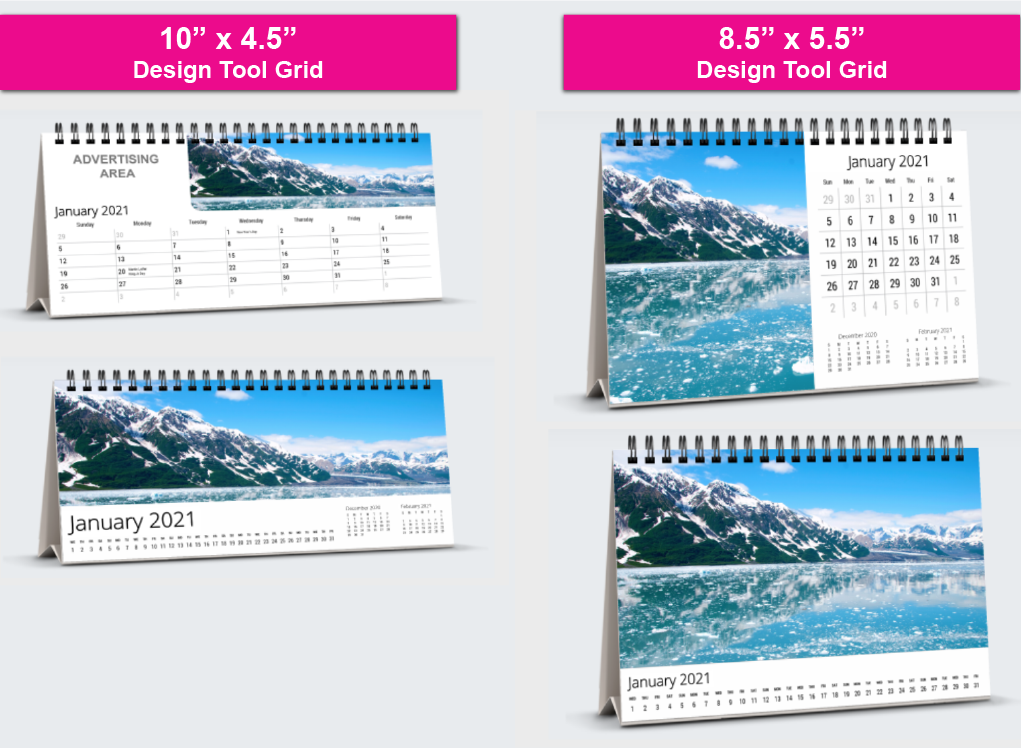
The 8.5″ x 5.5″ is smaller and it’s going to be just photos and dates. Nothing else. But if you still want to include something basic like your contact information, you can do it without things feeling crowded if you place it strategically. Maybe you only include it on the cover and back cover, or you find a spot below the photo.
How Many Months Can a Desk Calendar Have?
PrintingCenterUSA prints desk calendars in two options:
- 12-month (26 pages)
- 16-month (34 pages)
The most common is the 12-month calendar. The 16-month option is worth considering if you’re ordering out of season, because it lets you cover the tail end of the current year and run all the way through the next. It’s also a unique way to stand out if you’re selling the calendars.
A lot of businesses that order calendars as client gifts go this route so the calendar is useful from the moment someone opens it, because usually a calendar is given ahead of time.
What Paper and Binding Does a Desk Calendar Use?
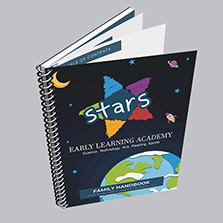
All PrintingCenterUSA desk calendars are Wire-O bound on the top long edge, which makes the pages easy to flip over the top.
For paper, you pick one stock for the entire calendar. Four options are available:
- 100# Gloss Cover
- 100# Matte Cover
- 100# Gloss Text
- 100# Matte Text
Unlike wall calendars, you don’t need to choose separate paper types for the cover and interior pages. One paper type throughout.
PrintingCenterUSA offers a free sample packet. Order one today to review our paper options in person to feel the difference!
When choosing your paper, just know that cover stock is thicker and text stock is lighter. If you want the calendar to feel more heavy duty when someone picks it up, consider going with cover stock. If you want something a little lightweight, text paper is going to work best.
If you’re doing a 16-month calendar, consider how easy it would be to flip through the pages on the Wire-O on a smaller format. Just something to think about.
How Do You Design a Custom Desk Calendar?
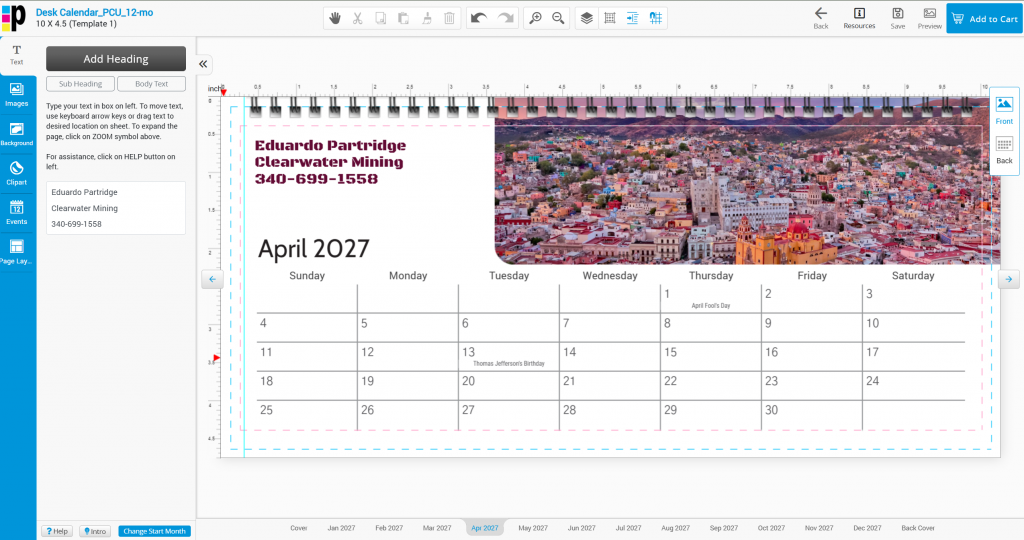
Free Online Design Tool
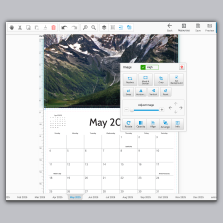
PrintingCenterUSA’s online calendar design tool lets you build a 12-month desk calendar right in your browser. Choose your size, upload your photos, drag and drop everything into place, and submit. That’s it.
If you’re using the 10″ x 4.5″ format, you can add holidays and advertising copy directly to the grid. The 8.5″ x 5.5″ supports images and dates only.
Free Downloadable Templates
Already working in Adobe Illustrator, InDesign, Photoshop, or Acrobat?
PrintingCenterUSA has free downloadable calendar templates for both sizes. Each size comes with two grid layouts and equipped to be print-ready so you can send off to print with confidence!
Frequently Asked Questions
What is the purpose of a desk calendar? A desk calendar is designed to be seen by two people at once. It stands upright on a desk between you and whoever you’re meeting with, so you can both look at dates without passing a phone back and forth. Custom printed desk calendars also keep your brand visible on a client’s desk for the entire year.
What are the standard desk calendar sizes? The two most common desk calendar sizes are 10″ x 4.5″ and 8.5″ x 5.5″. PrintingCenterUSA offers both. The 10″ x 4.5″ includes space for holidays and advertising below the calendar grid. The 8.5″ x 5.5″ is a cleaner format with dates and images only.
What is the difference between a desk calendar and a wall calendar? A wall calendar hangs on a wall and is meant to be read by one person at a time. A desk calendar stands upright on a surface and is designed so two people across from each other can read it at the same time. Wall calendars are typically larger when open. Desk calendars are compact and built for face-to-face settings.
How do you use a desk calendar? A desk calendar sits on a desk tent base and stands upright on its own. Each month, you flip the page over the top. They’re meant to be read at table height across a desk, which is why they’re popular in offices where client meetings happen regularly.
Can I add my logo to a custom desk calendar? Yes. PrintingCenterUSA’s custom desk calendars are fully branded. You can add your logo, photos, and advertising copy. The 10″ x 4.5″ size has a dedicated space below the grid for advertising. The 8.5″ x 5.5″ supports photos but doesn’t have extra ad space built into the layout.
Does PrintingCenterUSA offer free templates for desk calendars? Yes. Free downloadable templates are available for both sizes in Adobe Illustrator, InDesign, Photoshop, and Acrobat formats. PrintingCenterUSA also offers a free online design tool for the 12-month version that works entirely in your browser.
What binding does a desk calendar use? PrintingCenterUSA’s desk calendars use Wire-O binding on the long edge. Wire-O lets pages flip cleanly over the top and keeps the calendar standing flat when open.
Ready to Get Started?
You’ve learned everything you need to know about custom desk calendars. Here’s how to order with PrintingCenterUSA:
- Choose your size, paper, and month count using our instant quoting tool
- Upload your print-ready file (or use PrintingCenterUSA’s free online design tool or free downloadable templates to build your design)
- Check out and approve your free PDF proof
- Print! Standard turnaround is 3-4 business days from proof approval
Have questions? PrintingCenterUSA’s customer service team is available at 800-995-1555 from 7am-6pm MST Monday-Friday.