


















How to Print a Coffee Table Book
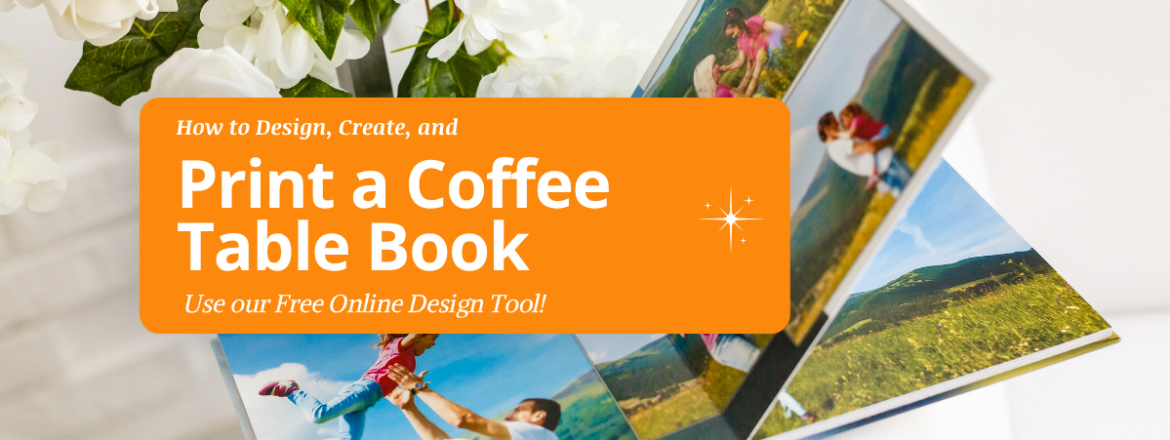
If you are a photographer, traveler, artist, brand, or just someone preserving memories, printing a coffee table book of your own might be your next big idea. Ever been relaxing at a friends house and see a large format, photo-heavy book that is irresistible to pick up and flip through? Coffee table books are designed to do just that. Here is everything you need to know to create your own coffee table book from paper, binding, design, cost and printing with PrintingCenterUSA. Start your coffee table book today!
What Is a Coffee Table Book?
Coffee table books aren’t something you read cover to cover. They are an art deco statement for the vibes of your setting. Coffee table books are oversized to grab attention and image based to keep that inspiration. Printed with premium paper and unmatched care, themes like photography, art, travel, or brand keep viewers interested in the fine details.
If you are a photographer, use coffee table books to showcase your portfolio and share your story in the best format. Many become collectible and will be kept much longer than a digital album on a website. Many coffee table books are printed as perfect bound softcover books, but some select hardcover for a finer, more durable finish.
Coffee Table Book Sizes: What Are the Standard Dimensions?
Coffee table books are intentionally larger than standard books to give photographs and artwork the space they deserve so deciding size should be your first decision in the process. Size will affect layout, images, format, and typography.
Here are the standard coffee table book sizes available at PrintingCenterUSA:
8 x 8 inches (20.3 x 20.3 cm): The square format stands out from rectangular books and it is the best choice for photography collections, wedding albums, or personal projects. It gives a sleek and modern feel.
8.5 x 11 inches (21.6 x 27.9 cm): The portrait orientation is the most popular sizes for coffee table books with anticipated work space. Most books art portrait so vertical images, text-heavy pages, and mixed layouts don’t just look great they stand out. This is the format most people picture when they think of a coffee table book.
11 x 8.5 inches (27.9 x 21.6 cm): The landscape orientation is the natural choice when most of your images are horizontal, panoramic, or wide-angle. Travel photography, architecture, and landscape photography look best in this format. Some creators even size down this format to 5.5 x 8.5 inches for a smaller, more delicate feel; great for conferences or portability.
12 x 12 inches (30.5 x 30.5 cm): The large square format is the most professional size available and will genuinely stand out on any coffee table. It gives you the most design flexibility and the most visual impact for large-format photography and artwork. You won’t realize it when ordering but once you receive your 12 x 12 order you will be blow away by the attention it commands.
Which size is right for your coffee table book?
If most of your images are vertical, choose 8.5 x 11 with portrait. If most are horizontal or panoramic scenes, choose 11 x 8.5 with landscape format. If you want a distinctive format that feels like an art object alone, choose the 8 x 8 or 11 x 11 square. If you are unsure, the 8.5 x 11 portrait is the most versatile and the most commonly printed size at PrintingCenterUSA.
Coffee Table Book Sizes in Centimeters
For international readers, here are the standard coffee table book dimensions in centimeters:
8 x 8 inches = 20.3 x 20.3 cm
8.5 x 11 inches = 21.6 x 27.9 cm
11 x 8.5 inches = 27.9 x 21.6 cm
11 x 11 inches = 27.9 x 27.9 cm
How Many Pages Should a Coffee Table Book Have?
The minimum page count for a perfect bound coffee table book at PrintingCenterUSA is 28 pages. This is a technical requirement of the perfect binding process, which needs enough pages to create a spine that stays together with the glue. Any smaller and the glue would seep out of the ends of the book, ruining the binding.
The best coffee table books are 80 and 200 pages. Here is the best way to think about the right count for your project.
If you have under 50 pages feels light for a coffee table book and may not justify the premium format. If your content is that concise, consider whether a different format might serve it better.
If you have 50 to 100 pages is a solid range for focused collections, personal projects, and books with a clear singular theme. It is enough to tell a complete story without overwhelming the reader.
If you have 100 to 200 pages is the most common range for professional and commercial coffee table books. At this page count you have enough space for a genuine narrative arc, varied layouts, and sections that give the book structure and depth.
If you have over 200 pages works well for comprehensive retrospectives, large photography collections, and brand books that need to cover significant ground. A page count this high also gives you a printable spine with enough width to add a title, which adds a professional touch when the book is displayed upright.
After about 80 pages, depending on paper weight, you can print titles and images on the spine which is a fun edition to any book.
Coffee Table Book Themes and Content Ideas
The best coffee table books have a clear theme. Here are the most popular themes we see and why each one works.
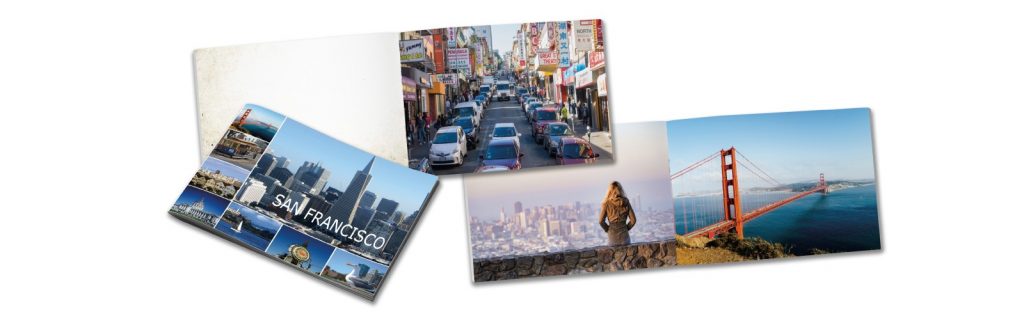
Travel photography is one of the most appealing coffee table book themes because it brings the viewer to a whole new place. With tedious organization the author can use images to tell a story readers will remember like their own adventure.
Nature photography is the most popular and works well in landscape orientation, giving wide shots space to breathe and zoom shots the light they need to shine.
Fine art collections give artists a way to remotely view and present their work in a prestigious format. Fine art museums and shows love partnering with PrintingCenterUSA because of their high-quality printing and fast shipping times.
Wedding and family books are great for gifting when it comes to coffee table books. They last a lifetime and so do the memories.
Brand and corporate books for businesses tell their story, show off their brand, and express their identity in a lasting format that brings quality and permanence to the bring. Great for hiring, storefront, or even securing high value clients.
Create a journey for the reader by organizing your images once you have found the perfect theme. Chronological, geographical, and color-based organization are all exciting and fun for readers. Some of the best and most memorable coffee table books follow a consistent color that creates a visual story even across very different images.
Designing Your Coffee Table Book
For the cover use your strongest image that also makes the theme clear. A simple bold title with author name or company logo is perfect. Simple is better, no collages.
Give a short intro and table of contents to set the tone. Limit the text, don’t make your images compete. Consider no text, or even adding simple dates and locations are best but absolutely no paragraphs.
Shake up the layout throughout the book. Full bleed spreads create dramatic impact while single page images with white boarders feel editorial.
All images should be at least 300 DPI for professional print quality. Images from social media, email, or text messages are typically 72 DPI and will print blurry and pixelated regardless of how sharp they look on screen. Pull images directly from a camera or original source file every time.
Design tools for your coffee table book
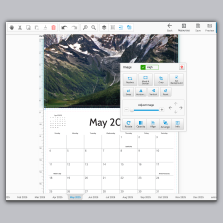
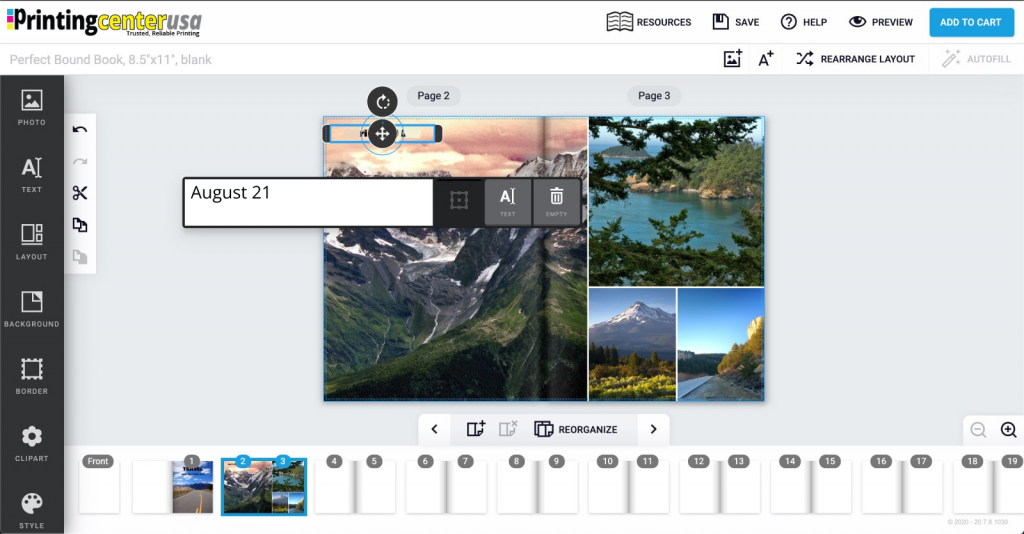
If you already have a print-ready file in Photoshop, InDesign, Illustrator, or Adobe PDF format, simply upload it at checkout. PrintingCenterUSA also offers free downloadable Adobe templates for coffee table book sizes with margins, bleed, and safe zones already configured. Use our free online design tool to drag and drop your images in. If you want to design your coffee table book in Canva, set your document dimensions to your chosen book size before you start adding content. Design each page individually in the correct order and export as a PDF Print file with bleed enabled. Not interested in the design? Use our find a designer program!
Paper Stock for Coffee Table Books
Paper could arguably be the more important option to select.
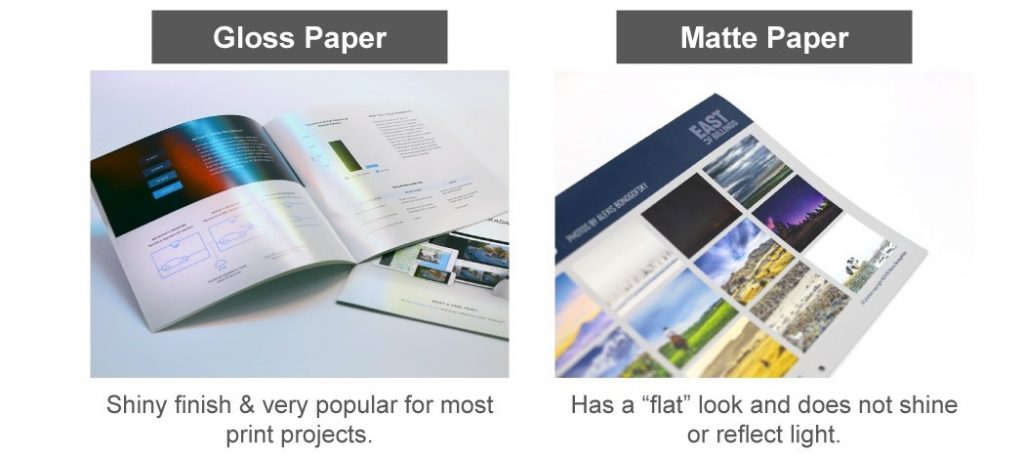
80 lb or 100 lb matte text for interior pages gives your book a soft look and feel that works best for black and white photography, fine art, and any book where you want a more editorial quality. Matte paper reduces glare and is comfortable to read under bright or overhead lighting so colors appear more natural.
80 lb or 100 lb gloss text makes colors appear richer, photographs look sharper, and the book feel bold and vivid. If you want your coffee table book to pop in a way matte cannot match with brighter than life images, go with gloss.
For the cover, 100 lb cover stock is the standard choice.
UV high gloss coating on the cover adds an extra layer of shine. It makes the cover image jump off the surface and protects against scratching and scuffing. PrintingCenterUSA recommends UV coating or any coating for most coffee table book covers.
Soft touch lamination on the cover is the premium option. It gives the cover a velvety finish that communicates luxury the moment someone picks it up. It is the choice for high-end photography books, brand pieces, and anyone who wants to sell their coffee table book at a premium price point. The tactile impression alone elevates the perceived value of the book significantly. This will be your go to finish for most projects and is appreciated by both artists and casual viewers.
How Much Does It Cost to Print a Coffee Table Book?
Coffee table book printing cost depends on four main factors: size, page count, paper choice, and quantity. Here is a practical overview for the best coffee table books.
At lower page counts around 50 to 80 pages, a standard 8.5 x 11 coffee table book with gloss interior pages typically runs in the range of $15 to $30 per book at a quantity of 25 to 50 copies. The per-unit cost drops as quantity increases.
At 100 to 200 pages, the cost per book increases with page count but the unit cost drops significantly with larger print runs. A 150-page coffee table book at 100 copies will cost way less per unit than the same book at 25 copies.
Premium cover finishes like soft touch lamination add a small cost per unit but are worth it for books that will be sold, gifted, or presented to high-value clients. The cover finishes are a must for all coffee table books, without it yours might flop.
Finalize your page count, choose your specs, and use PrintingCenterUSA’s instant pricing tool to get an exact cost per unit before you commit. Our tool will show pricing in real time for each selected specification of your book to give you an instant locked in price for that quote.
How to Self-Publish a Coffee Table Book
Self-publishing a coffee table book gives you complete creative control over the final product. Here is how the process works from start to finish.
Start with your content. Collect all your images, organize them, select your theme, and determine your page count. Make sure every image is at least 300 DPI.
Choose your specs. Select your size, paper stock, cover finish, and page count using the information in this guide. Use PrintingCenterUSA’s instant pricing tool to see your cost at different quantities.
Design your book. Use Adobe, Canva, or PrintingCenterUSA’s free online design tool to build your layout. Download a free template for your chosen size to make sure your margins, bleed, and safe zones are set up correctly from the start or use our free file review.
Submit your file. Upload your print-ready PDF at checkout. Every file submitted to PrintingCenterUSA goes through our automated 43-point file inspection before production begins, which catches common issues like low-resolution images, incorrect margins, and missing bleeds before your order goes to press.
Review your proof. You will receive an electronic PDF proof to review and approve before production begins. This is your last chance to catch anything before the book is printed.
Receive your order. PrintingCenterUSA ships coffee table book orders in three to four business days after proof approval with nationwide delivery.
Frequently Asked Questions
What is a coffee table book?
A coffee table book is a large, image-driven book designed to be displayed on a coffee table and browsed by guests. It is typically larger than a standard book, printed on premium paper, and built around photography, art, travel, fashion, architecture, or personal collections. The name comes from the tradition of displaying these books as decorative objects and conversation starters.
What size is a coffee table book?
Standard coffee table book sizes are 8 x 8 inches, 8.5 x 11 inches, 11 x 8.5 inches, and 11 x 11 inches. The most popular size at PrintingCenterUSA is 8.5 x 11 inches portrait. In centimeters, these sizes are 20.3 x 20.3 cm, 21.6 x 27.9 cm, 27.9 x 21.6 cm, and 27.9 x 27.9 cm.
What is the standard coffee table book size?
The most widely used standard size is 8.5 x 11 inches, which is the portrait orientation. It gives enough space for full-page photography and detailed layouts while remaining practical to print and handle.
How many pages should a coffee table book have?
Most coffee table books run between 80 and 200 pages. The minimum for perfect binding is 28 pages. For a coffee table book with enough depth to tell a complete story, 100 to 150 pages is a strong target. At around 80 pages the spine becomes wide enough to print a title, which adds a professional finishing touch.
What is the best paper for a coffee table book?
Gloss text paper is the best choice for coffee table books with vibrant color photography because it makes colors appear richer and images sharper. Matte text paper is the better choice for fine art, black and white photography, and books where a more refined understated quality is the goal. 100 lb text in either finish is the most popular interior choice at PrintingCenterUSA.
What resolution do images need to be for a coffee table book?
All images must be at least 300 DPI for professional print quality. Images from social media, email, or downloaded from the web are typically 72 DPI and will print blurry. Always use original high-resolution files from your camera.
How much does it cost to print a coffee table book?
Cost depends on size, page count, paper, and quantity. A 50 to 80 page coffee table book at a small quantity typically runs $15 to $30 per book. Cost per unit drops significantly at higher quantities. Use PrintingCenterUSA’s instant pricing tool for an exact quote on your specific specs.
How do I self-publish a coffee table book?
Collect and organize your images, choose your size and specs, design your layout using Adobe software, Canva, or PrintingCenterUSA’s free online design tool, upload your print-ready PDF, approve your electronic proof, and receive your order in three to four business days.
Can I design a coffee table book in Canva?
Yes. Set your Canva document to your chosen book size, design each page in order, and export as a PDF Print file with bleed enabled. Follow PrintingCenterUSA’s guide on exporting Canva files for print before uploading.
What is the difference between matte and gloss for a coffee table book?
Gloss paper makes colors appear more vibrant and photographs look sharper. It is the right choice for color-heavy photography and travel books. Matte paper has a softer, more refined look and is better for fine art, black and white photography, and text-heavy pages. Many coffee table books use gloss for image-heavy sections and matte for text pages within the same book.
What binding is best for a coffee table book?
Perfect binding is the standard for coffee table books because it creates a flat, professional spine that can be printed with a title. It requires a minimum of 28 pages. The square spine gives the book a finished, premium appearance whether it is lying flat on a table or displayed upright on a shelf.
Ready to Print Your Coffee Table Book?
Not sure how to get your file print-ready? Use our free online book designer, download a free Adobe template for your chosen size, submit your file for our automated 43-point file inspection, or connect with a professional through our Find a Designer service. However you like to work, we have an option that fits. Start your coffee table book today!