


















6 Best Novel Writing Software for Authors in 2026
So, you started writing your book, and you might have finished it, but you realize you have four different versions, three different files, and you can’t remember some of the details. That’s fine. It’s going to happen, but this is where you start looking for writing software that sets you up for success with your book. Obviously, the right tool isn’t going to write the book for you, but it is going to help refine your writing skills, keep your chapters in order, your characters in line, and everything organized in one place, to give you a clear vision and the confidence to finish your novel. At the end of the day, novel writing software is one of the best tools for you as an author in this part of the process.
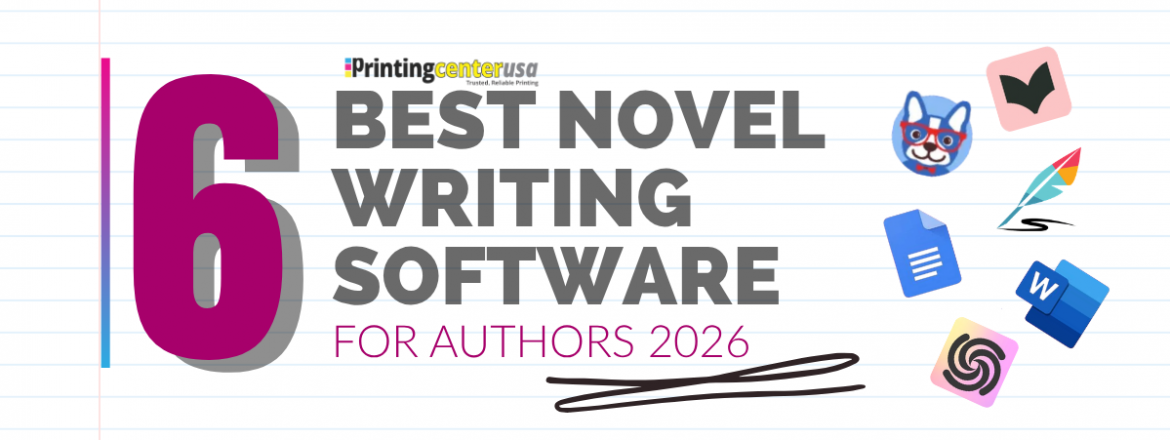
Let’s go over 6 of the best novel writing software for authors right now in 2026, how they can help you, and the pros and cons of each.
1. Scrivener: Best for Plotting and Research
Scrivener is one of the most popular novel writing software tools. Writers love it because it works great for authors who need to manage complex storylines, character arcs, and large research files all in one place. Scrivener is a long writing program built specifically for long documents. It splits your book into individual scenes and chapters that show up on a corkboard binder along the side of the screen, so that you can see your whole book at once and drag pieces around to reorder them. It also has a dedicated space for research notes and world building, all inside the same project as your document.
✅Pros:
- Corkboard & binder system for organization that let s you see and reorder chapters
- Great for large manuscripts and research-heavy books with world-building
- Extensive customization options
- Exports to Kindle, ePub, PDF, and Word.
❌Cons:
- Takes time to learn
- No android app
- Dropbox syncing can be funky
Scrivener is best for writers who love detailed world-building, in-depth plotting, and want their writing process organized.
Pricing:
💰 $59 for Mac and Windows (one-time purchase).
💰 $24 for iOS (separate purchase).
💰 Free 30-day trial (counts active days of use, not consecutive days).
2. Atticus: Best For Self-Publishing Authors
Atticus is an all-in-one writing and formatting tool built by Dave Chesson’s team at Kindlepreneur. It’s the only mainstream tool that does both writing and professional formatting for both print and ebook without going to a separate program like Vellum. Overall Atticus is a huge time saver.
✅Pros:
- Writing and formatting in the same tool with no additional exporting to another app
- Works on Windows, Mac, and Chromebook without any installation since it’s browser-based
- Editor collaboration with common access
- One-time payment, no subscription
❌Cons:
- Relies on internet connection more than it lets on
- Some authors have reported sync hiccups when working offline
- No free trial but there is a 30-day money-back guarantee
Atticus is best for writers who want to keep things simple instead of juggling different tools and are self-publishing and need professional formatting without hiring. Price point: $147, one-time purchase, lifetime access including future updates. No subscription fees and a 30-day money-back guarantee.
Pricing:
💰$147 one-time purchase for lifetime access ( including future updates)
💰No subscription fees
💰30 day money-back guarantee
3. Microsoft Word and Google Docs: Best for Simple Drafting
Microsoft Word and Google Docs are the two word processors most people are familiar with and probably already have on their computer, which makes them the easiest place to just start writing without trying to find something new. Neither one’s built for novel writing specifically so there’s no way to kind of see your whole manuscript as you’re writing them with chapters.
✅Pros:
- No learning curve, most writers are familiar with these tools.
- Word works fully offline.
- Google Docs is free with a Google account.
- Real-time collaboration and commenting so it’s useful for working with an editor.
- Built-in AI for editing help.
- Industry standard, most publishers and agents expect Word files.
❌Cons:
- No outlining or chapter organization tools.
- Docs get harder to manage as they get longer.
- Google Docs can lose unsaved text if your connection drops mid-edit.
- You need separate software for real publishing formatting.
Microsoft Word and Google Docs are best for writers who want a simple writing experience and don’t need anything beyond basic word processing.
Pricing:
💰Microsoft Word: $69.99 a year or $6.99 a month with Microsoft 365.
💰Google Docs: free with the Google account.
4. Sudowrite: Best AI Writing Tool
Sudowrite is an AI writing tool specifically built for the fiction genre. It offers a few different features that organize and help with stuck scene plots. The Story Bible feature holds your character and plot details so that the AI references your actual story instead of generating something generic. The Story Engine feature outlines the full novel and can draft chapters from a concept. Its Canvas feature gives you a visual map of your plot and character relationships, so nothing gets stretched out.
It won’t write a finished book for you. Like most AI tools, it works best as a collaborator instead of autopilot generation. Most writers still rewrite 30% to 50% of what it generates. It’s ideal for those scenes where you might be stuck and need a little bit of help.
✅Pros:
- Story Bible and Story Engine keep the AI output consistent with your plot.
- Built for the fiction genre, so it reads like story narrative.
- Canvas visualizes plot arcs and character relationships.
- Free trial of 10,000 credits with no credit card required
❌Cons:
- Credit-based pricing can run out fast.
- Credits don’t roll over on lower-tiered plans.
- No formatting, export, or audiobook tools.
- Nonfiction and other genres aren’t supported.
Sudowrite is best for writers who get stuck and want a collaborator that helps them move faster through a first draft.
Pricing:
💰$10/month for Hobby and Student Billed annually.
💰$22/month for Professional Billed annually
5. Dabble: Best Cloud Based Alternative to Scrivener
Dabble is a cloud-based writing platform built for novelists. It’s the alternative to Scrivener, with Scrivener’s plotting power without the steep learning curve.

✅Pros:
- Plot Grid feature provides a drag-and-drop way to map out your story.
- Syncs automatically with Windows, Mac, Linux, iOS, and Android.
- Built-in integration with ProWritingAid..
- Cloud-based, so there’s no manual saving
- Unlimited projects, useful for series writers managing multiple books at once.
❌Cons:
- No permanent free tier, only a 14-day trial.
- Subscription cost adds up compared to Scrivener or Atticus’s one-time fees.
- Some users report the platform is confusing, especially for exporting and formatting
- No advanced print formatting.
Dabble is best for writers who want everything to sync automatically and want Scrivener’s level plotting without the learning curve.
Pricing:
💰 $9/month Basic, $19/month Standard, $29/month Premium.
💰 $699 for a lifetime license.
💰 14-day free trial, no credit card required.
6. ProWritingAid: Best For Editing
ProWritingAid is a professional editing tool that provides writing reports about your pacing, sentence variety, overused words in dialogue tags, grammar, and spelling. It’s designed to catch patterns that a basic grammar-checking tool might miss, such as sentences that run too long or the same word showing up five times in the chapter. It’s one level up from Grammarly.
✅Pros:
- Fiction-specific reports
- Direct integration with Word, Google Docs, and Scrivener.
- Lifetime license option
- Free plan available with no time limit.
- ❌Cons:
- The free plan caps at 500 words per check
- The interface feels older compared to newer tools.
- No mobile app.

ProWritingAid is best for writers who want an editing pass before sending to an editor, or already write in a different document and just want editing built into that workflow.
Pricing:
💰 $10/month, billed annually.
💰 $399 for a lifetime Premium license.
💰 Free plan available (500 words per check).
Novel Writing Software FAQ
Scrivener vs Word, which is better for writing a novel?
Scrivener is built for long manuscripts, with real tools for organizing chapters, scenes, and research. Word is more familiar, but it gets clunky as a manuscript grows. For a full novel, Scrivener’s organization usually wins out.
Is there free novel writing software?
Google Docs is free and works well for drafting and collaborating with an editor. Sudowrite and Dabble offer free trials, but neither has an ongoing free plan.
What’s the difference between Atticus and Scrivener?
Atticus handles writing and formatting in one tool, so your manuscript is print and ebook ready without switching software. Scrivener is stronger for organizing big, research-heavy projects, but it doesn’t format for publishing on its own.
What are the best AI writing tools for novelists?
Sudowrite is built specifically for fiction, with a Story Bible feature that keeps character and plot details consistent as you write.
What software do published authors actually use?
It varies. Plenty draft in Scrivener or Dabble, move to Atticus for formatting, and run ProWritingAid somewhere in the process. There’s no single tool every published author swears by.
Which Novel Writing Software is Best?
There’s not a single right answer, and it depends where you’re at in the process. Pick the one that fits your budget and is going to work for your book.
- Scrivener is best for writers who want deep organization and don’t mind a learning curve.
- Atticus is the move if you’re self-publishing and want formatting and writing in one place.
- Microsoft Word or Google Docs works fine if your needs are simple.
- Sudowrite steps in when you’re stuck and want a writing collaborator
- Dabble provides Scrivener’s plotting power without the steep learning curve.
- ProWritingAid catches what a normal spell check misses before you send your work to a final editor.
Ready To Print?
PrintingCenterUSA is here for when it’s finished, formatted, and ready to print. We offer these free tools to help you in the process.
- Free Online Design Tool
- Free Adobe Templates
- Free File Review
- Find a Designer
- Free Sample Pack
- Canva Editable Templates