



How to Self-Publish a Book: A Step-by-Step Guide for First-Time Authors
Self-publishing has never been more easy or accessible and is a game changer in this digital industry. Whether you are writing a novel, building a business resource, or finally finishing the passion project that has been sitting in a drawer for years, self-publishing gives you full creative control, faster timelines, and higher royalties than the traditional publishing route. This guide of ours walks you through every step of the process so you can create and publish your book with confidence. Start your project today!
What Is Self-Publishing?
Self-publishing means you handle the publishing process yourself rather than going through a traditional publishing contractor. You are in charge of editing your project, design, printing it, pricing, and distribution. You keep more of the profit when you see the big picture. And you do not wait years for someone else to recognize and decide your book is worth printing. The heavy work lands on the author. But with the right tools and the right printer, it is a lot more manageable than most people expect!
Pros and Cons of Self-Publishing
Pros
- Full creative control over content, design, and pricing
- Higher royalties per sale than traditional publishing
- Faster path from manuscript to published book
- You own your rights completely
- Flexible print quantities to match your budget and audience size
Cons
- All the work lands on you with editing, design, marketing, and distribution
- Upfront costs can add up quickly
- Less built-in credibility than a traditional publisher for some audiences
- Distribution reach is smaller without a platform behind you
- Success depends heavily on your own marketing effort
Self-Publishing Checklist
Before you dive into the steps, here is the full process at a glance:
1. Have your manuscript written and edited
2. Formatting complete for print or ebook
3. Cover design finished
4.ISBN and copyright secured
5. Printing method chosen
6. Proof copy reviewed and approved
7. Marketing plan ready to go
Click here to get your Free Downloadable Printing Guide!

Step 1: Write and Edit Your Manuscript!
Writing the book is the most time-intensive part of the process. Editing is where most authors get hung up. It takes a lot of focus and time but skipping or rushing the editing process is the single most common reason self-published books lose credibility or don’t sell at all.
There are four distinct editing stages worth understanding:
Developmental editing looks at structure, pacing, and whether your content meets what it is promising.
Copy editing for grammar, spelling, punctuation, and syntax.
Line editing includes flow, rhythm, and word choice at the sentence level.
Proofreading is the final check catch anything that slipped through the earlier stages.
You do not have to hire someone for every stage, but at minimum get a professional proofreader before you go to print. Errors in a published book are hard to unsee!
What Should I Include in my Manuscript?
Most manuscripts include some or all of the following parts depending on the type of book and the author’s preference:
Appendix
Title pages
Copyright pages
Dedication
Table of contents
Foreword (written by someone other than the author)
Preface (written by the author, explains the why behind the book)
Introduction
Body chapters
Conclusion
Afterword
Acknowledgments
About the author
Bibliography or references
Index

Step 2: Format Your Book
Formatting differs depending on if you are publishing a print book or an ebook. Ebooks need flexible formatting that adapts to different screen sizes and digital readers. The tool you use matters. Print books require specific margins, bleed settings, high-resolution images at 300 DPI, and a layout that accounts for how pages sit in a bound book.
For PrintingCenterUSA: 1/8″ bleed all around, safety margins at 1/8″ from trim (3/8″ on the binding side, plus an extra 1/2″ for perfect bound), 300 DPI, CMYK, print-ready PDF, and 7/8″ on the binding side for Wire-O or Spiral. You can design the spine if it’s over 1/8″ wide, and avoid crossovers in perfect bound since the gutter will swallow them.

Adobe InDesign is the industry standard for professional layouts and is worth learning if your book has complex design needs.
Canva is a great option with drag-and-drop simplicity and print-ready export.
Scrivener is popular with writers for its organizational features and ability to export to multiple formats.
Vellum is a Mac-only tool that produces beautifully formatted books for platforms like Kindle and Apple Books.
Microsoft Word works well for straightforward manuscripts and is the most beginner-friendly option but is not industrial printing standards and makes images hard to place.
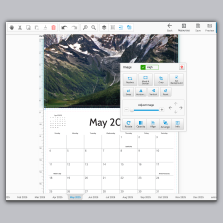
For the best quality from PrintingCenterUSA use our Free Online Design tool and start your project now! Whatever tool you use, export your final file as a print-ready PDF with single pages in consecutive order. If you are printing with PrintingCenterUSA, do not export as spreads. Single pages only, front cover to back cover, in order.
Step 3: Get Your ISBN and Copyright
What is an ISBN?
An ISBN (International Standard Book Number) is a unique 13-digit identifier assigned to your book. It is what libraries, retailers, and wholesalers use to find, stock, and sell your title. You are not required to have one to self-publish, but if wide distribution is part of your plan, getting an ISBN through Bowker is a smart move early in the process.
How do I get my ISBN?
- Visit Bowker.com, the official ISBN agency for the United States
- Create a free account
- Purchase a single ISBN ($125) or a block of 10 ($295) if you have more books
- Fill out your title information with author name, format, and publication date
- Your ISBN will be assigned immediately and available in your account
- Add your ISBN to your book before going to print
- Register your title in the Books In Print database through Bowker to improve discoverability with retailers and libraries

An ISBN (International Standard Book Number) makes your book easy for libraries, retailers, and wholesalers to find and stock. Getting an ISBN is a smart move if you want to distribute in stores. You can purchase one through Bowker in the US. Copyright protection applies to your work the moment you create it, but registering with the US Copyright Office gives you additional legal protections and peace of mind if you ever need to defend your rights.
Step 4: Design Your Cover
People judge books by their covers. Your cover is the first thing a potential reader sees and it has about two seconds to make an impression.
A strong cover does three things; it communicates the genre or subject clearly, it looks good as a small thumbnail, and it makes the title instantly readable.
Keep the design simple with a clear focal point and strong typography. Avoid cluttered layouts that try to say too much at once. If design is not your strength, hire someone. A professionally designed cover pays for itself in credibility and sales. PrintingCenterUSA’s Find a Designer service connects you with professionals who specialize in print-ready book cover design. If you want to do it yourself, Canva and Adobe Express both have solid templates to start from. Pull inspiration from covers in your genre on Pinterest and build a mood board before you start designing! The more you plan your cover
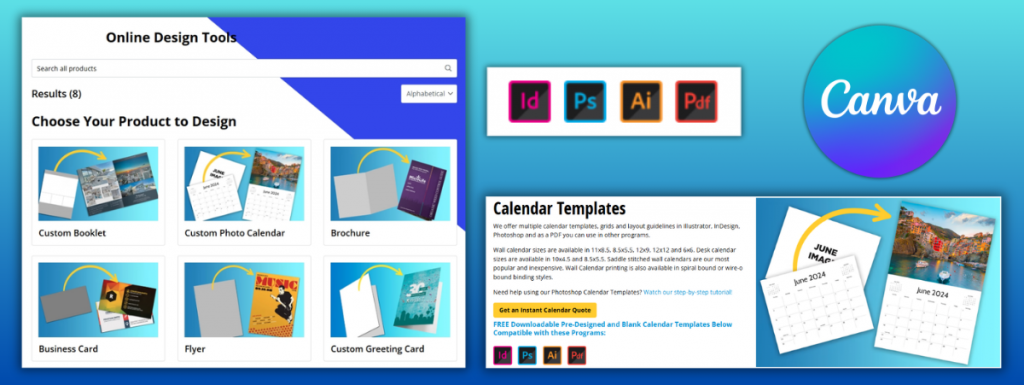
Here are a few additional tips for creating DIY Book Covers and How to Create Covers for Your Book Series!
Step 5: Choose Your Printing Method
This is one of the most important decisions you will make, and it comes down to two options: print-on-demand or bulk printing.
Print-on-demand means books are printed individually as orders come in. There is no upfront inventory cost, which makes it a low-risk entry point for first-time authors. The tradeoff is a higher cost per book nd less control over print quality. Popular print-on demand platforms include Amazon KDP, IngramSpark, and Lulu. Each has its own royalty structure and distribution reach, so it is worth running the numbers on all three before committing. Bulk printing means printing a larger quantity upfront, which significantly lowers the cost per book and gives you more control over paper, binding, and finish quality. It requires an upfront investment but reduces better margins if you know you have an audience ready to buy.
PrintingCenterUSA specializes in bulk book printing with fast turnaround, professional quality, and a free file review to make sure your files are press-ready before your order goes into production. If you are publishing for a business, an event, or a launch with a built-in audience, bulk printing almost always makes more financial sense in the long run.
Step 6: Choose Your Book Specs
The physical details of your book affect both cost and perception. Here are the main decisions to make.

Binding type
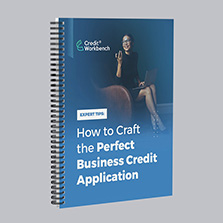
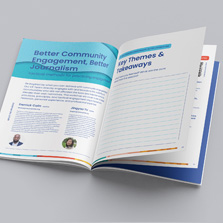
Perfect binding gives you a square printable spine and is the standard for most trade paperbacks.
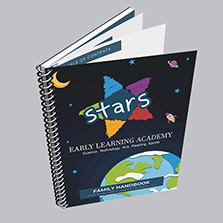
Saddle stitch works well for shorter books under 92 pages. Spiral and wire-o binding are ideal for workbooks, manuals, and anything that needs to lay flat.
Paper: Interior pages typically use 60 to 80 lb text weight paper. Covers use 80 to 100 lb cover stock. Heavier paper feels more premium but adds to the cost and shipping weight.
Matte covers feel refined and are easier to read under bright lighting.
Glossy covers pop visually and are more scratch resistant.
Here are the most popular specs for books
Size: 8.5 by 11 inches
Cover: 100# Cardstock Gloss
Insides: 100# Paper Gloss
Ink: 4/4 (full color)
Cover Finish: UV High Gloss
If you are not sure which combination is right for your project, order a free sample pack from PrintingCenterUSA to feel the difference in paper weights and finishes before you commit.
Step 7: Order a Proof Copy
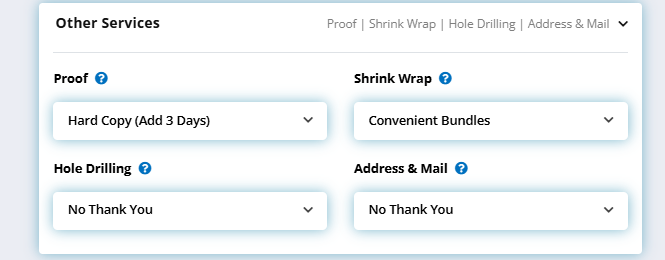
Before you print your full run, you can order a hard copy proof. Holding a physical copy of your book reveals things a screen never will, from color accuracy to binding quality to how the margins actually feel when you are reading. Catching a problem at the proof stage costs you one copy. Missing it costs you an entire print run. This step is very smart if you are doing a bulk print order. Imagine keeping your first book ever, it’s exciting!
Step 8: Market and Distribute Your Book
Publishing the book is only half the job. Getting it in front of readers takes a deliberate strategy, and the earlier you start the better.
Before your launch:
- Build an author website, email list, and consistent social media presence
- Share your writing process, cover reveal, and behind-the-scenes content
- Send advance copies to bloggers, Bookstagrammers, or podcast hosts for early reviews
At launch:
- Host a virtual launch event on Instagram Live or Zoom
- Run a giveaway or collaborate with another author or brand to extend your reach
- Pitch yourself as a podcast guest in the weeks around your launch date
After launch:
- Remember that books build momentum slowly and consistent promotion matters more than a single big launch moment
- Engage with readers and respond to reviews
- Keep creating content around the topics your book covers
How Much Does It Cost to Self-Publish a Book?
Costs vary widely depending on your approach and how much of the work you handle yourself. Editing runs anywhere from free if you have a skilled editor in your network to two thousand dollars or more for a full professional edit. Cover design ranges from free using DIY tools to five hundred dollars or more for a professional designer. Printing costs depend entirely on quantity, specs, and method. Marketing is as flexible as your budget allows. The most important thing is to go in with a realistic number in mind and not cut corners on editing and cover design. Those two investments protect the credibility of everything else.
Print-on-Demand vs Bulk Printing: Which Is Right for You?
The right printing method depends on your goals, your budget, and how confident you are in your audience size. Here is a direct comparison of both options so you can make the call with confidence.
Print-on-demand works best when:
- You are testing the market and not yet sure of your audience size
- You have a limited upfront budget
- You want a platform to handle printing and fulfillment for you
Bulk printing works best when:
- You have a launch audience ready to buy
- You are selling directly to readers, businesses, or at events
- You want the highest quality finished product and the best profit margin per book
Side-by-side breakdown:
Cost per book
POD is higher per unit since each copy is printed individually.
Bulk printing drops the cost per book significantly the more copies you order.
Upfront investment
POD requires little to no upfront cost.
Bulk printing requires an upfront investment but pays off quickly at volume.
Quality control
POD quality can vary slightly between individual prints.
Bulk printing with PrintingCenterUSA produces consistent, professional quality across every copy in your run.
Profit margin
POD platforms deduct printing and distribution fees from your royalties before you see a dollar.
With bulk printing through PrintingCenterUSA you own your inventory, set your own price, and keep the full margin on every copy you sell.
Turnaround
POD fulfills orders as they come in on an ongoing basis.
PrintingCenterUSA ships bulk orders in three to four business days after proof approval.
Distribution
POD platforms like KDP and IngramSpark handle distribution through their own channels.
With bulk printing you manage your own distribution, which gives you more control but also more responsibility.
Bottom line
Bulk printing is best for business owners, event-based selling, direct-to-reader sales, and anyone who wants the highest quality finished product at the best long-term cost
POD is best for authors testing demand, publishing on a tight budget, or prioritizing hands-off fulfillment
How AI Is Changing Self-Publishing
AI has shifted what is possible for self-publishers, especially for authors and business owners working without a full team. Here is what matters most right now and where to use it carefully.
Where AI genuinely helps:
- Brainstorming and outlining your manuscript structure
- Generating first drafts of marketing copy, social captions, and email sequences
- Creating cover concepts and mood boards to brief a designer
- Proofreading and catching grammar and consistency errors
- Generating metadata like keywords and categories for distribution platforms
- Repurposing your book content into blog posts, email series, and social content after publication
Where to be careful:
- AI-generated prose in your manuscript is increasingly recognizable to readers, retailers, and search engines
- Humans can now easily identify and discredit AI in creative works like books, videos, and images
- Cover design generated entirely by AI raises licensing and originality questions for commercial use
- Always review AI output for accuracy and data safety before it touches your final files
What has not changed:
- A strong idea, clean editing, a professional cover, and a deliberate marketing plan still matter more than any tool you use to produce the book
- AI speeds up the process but does not replace the judgment calls that make a book worth reading
- Use AI to plan your strategy, not to execute it for you
The bottom line: The authors getting the most out of AI right now are using it to handle repetitive work like marketing, formatting, and metadata so they can spend more time on the creative and strategic decisions that actually move the needle.
Helpful Resources for Printing
Not sure how to get your file print-ready? Use our free online design tool, download a free Adobe template, submit your file for a free file review, or connect with a professional through our Find a Designer service. However you like to work, we have an option that fits. Explore printing options at PrintingCenterUSA!
Frequently Asked Questions
Can I publish a book for free?
Platforms like Amazon KDP allow free publishing with no upfront cost, but printing and distribution fees are deducted from your royalties. You may still have costs for editing, design, and marketing even if the platform itself is free.
Do I need an ISBN?
Not always, but it makes distribution significantly easier. If you want your book stocked in libraries or sold through retailers beyond Amazon, an ISBN is worth getting.
How long does self-publishing take?
Printing with PrintingCenterUSA ships in three to four days after proof approval.
Is self-publishing worth it?
For most authors, yes. You keep more of the profit, move faster, and maintain creative control. The tradeoff is that the marketing and distribution work falls on you.
What is the difference between print-on-demand and bulk printing?
Print-on-demand prints copies individually as orders come in with no upfront inventory cost but a higher cost per book. Bulk printing produces a larger quantity upfront at a lower cost per book with better quality control and higher profit margins per sale.
Can PrintingCenterUSA help me self-publish?
Yes. PrintingCenterUSA specializes in professional book and booklet printing with fast turnaround, a free file review, and free Adobe templates to help you get your file print-ready. Whether you need 25 copies or 2,500, we can help you bring your book to life.
Print Your Project Today!
Self-publishing a book is one of the most rewarding things you can do as a creator, an entrepreneur, or a storyteller. The process takes work, but every step is an investment in yourself. PrintingCenterUSA has helped thousands of individuals and businesses bring their books to life with professional quality printing, fast turnaround, and a team that actually cares about how your project turns out. Whether you are printing 25 copies for a local launch or 25,000 for a national campaign, we are ready to help you get it done right. Let us help you put it there today!