




Top 10 Tips for Creating Your Own Custom Yearbook
Creating a yearbook used to feel complicated, expensive, and locked into rigid templates. Many schools and teams relied on large providers, often paying high prices for limited design flexibility. Today, that’s changing. With custom yearbook printing, you can design exactly what you want, control your budget, and print only what you need. Whether you’re creating a hockey yearbook, a school memory book, or a team keepsake, the process is more accessible than ever.
In this guide, you’ll learn how to create a professional-quality yearbook step by step, plus see a real example from a high school hockey team that turned their season into something unforgettable with print. Custom yearbook printing allows schools and teams to create affordable, high-quality books with full creative control. By designing your own layout and using digital printing, you can reduce costs, print small quantities, and produce a personalized yearbook that captures memories, team spirit, and season highlights without relying on expensive traditional providers.
Top 10 Tips for Creating Your Own Custom Yearbook
Creating a yearbook might seem overwhelming at first, but when you break it into simple steps, it becomes a creative and rewarding project. Yearbooks are a fun, classic way to celebrate your crew. These tips will walk you through how to plan, design, and print a yearbook that looks professional while staying within budget.
1. Start with a Clear Vision:
Before you design anything, define the purpose and story of your yearbook so every page feels intentional and cohesive. Think about what you want people to remember years from now, not just what happened.
- Team highlights
- Player profiles
- Season milestones
- Candid moments
To get started, sketch a simple outline of sections before jumping into design using the Free Online Design Tool or a Canva template. Order a free PrintingCenterUSA Sample Packet to explore our options before ordering!
2. Plan Your Page Count Early:
Your page count impacts your budget, layout flexibility, and how much content you can include, so it’s important to decide this upfront. A well-planned page count helps you avoid last-minute edits or overcrowded spreads.
- Smaller books: 32 to 48 pages
- Larger yearbooks: 50+ pages
Start by assigning pages to each section so you can build your layout with confidence and avoid running out of space.
3. Choose the Right Size and Binding:
The size and binding you choose will shape how your yearbook feels in hand and how your content is presented. Sports teams often benefit from layouts that highlight wide action shots and group photos.
- 8.5 x 11 for traditional yearbooks
- 11 x 8.5 landscape for sports teams
- Perfect binding for a polished, bookstore-style finish
Review sample options with a Free Sample Pack to see what format best fits your vision.
4. Use High-Quality Photos:
Strong visuals will make or break your yearbook, so prioritize clear, high-resolution images that capture energy and emotion. The goal is to make readers feel like they’re reliving the season.
- Action shots
- Team photos
- Behind-the-scenes moments
Organize your photos early and choose your best images first, then build your layout around them.
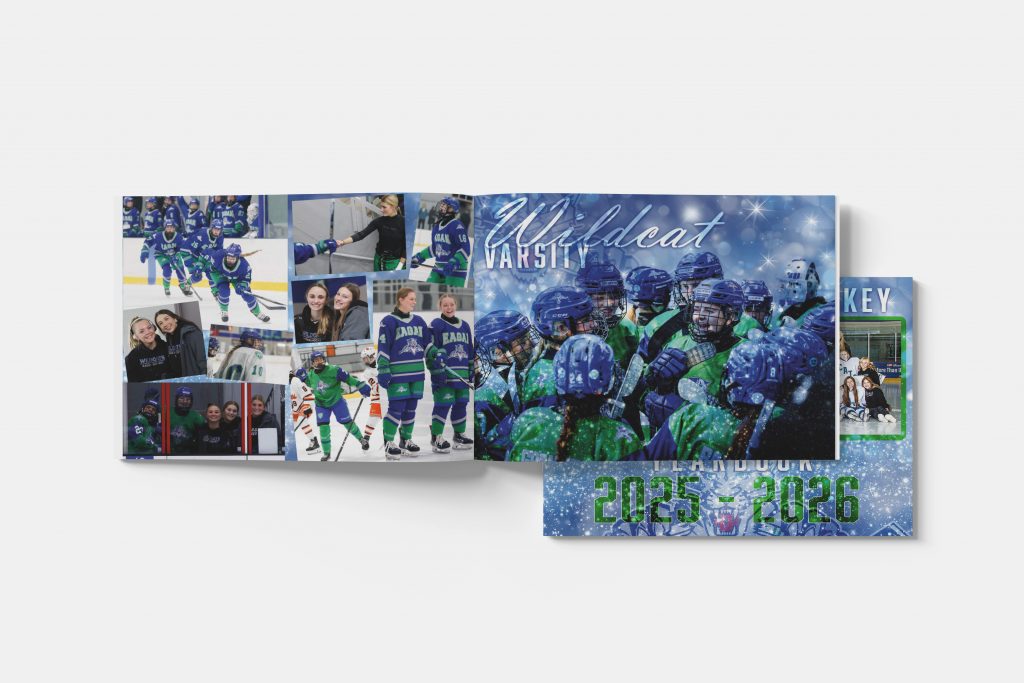
5. Design with Flexibility in Mind:
Using flexible design tools gives you full creative control instead of locking you into restrictive templates. This allows you to match your team’s personality and create something truly unique.
Start with a template, then customize fonts, colors, and layouts to make the design your own.
6. Focus on Storytelling, Not Just Stats:
You might be thinking, “Well what do I write in my yearbook”. A great yearbook captures emotion and connection, not just scores and records. The small, personal details are what people come back to years later.
- Quotes
- Player shoutouts
- Fun moments
Add short captions or memory highlights throughout your pages to bring your story to life.
7. Keep Costs Under Control:
Custom yearbook printing gives you more control over your budget compared to traditional providers. By managing your specs and quantity, you can create a high-quality book without overspending.
- Print only what you need
- Avoid bulk overordering
- Stay within budget
Request a quote early and adjust your page count or specs to align with your budget goals.
8. Proof Everything Carefully:
A final review can make the difference between a polished yearbook and one filled with small but noticeable mistakes. Take the time to check every detail before submitting your files.
- Names and spelling
- Image placement
- Page order
Use the Free File Review to catch technical issues and ensure your file is print-ready.
9. Print in the Right Quantity:
Ordering the right number of books helps you avoid waste and unnecessary costs. Short-run printing makes it easy to match your exact needs.
- Teams
- Small schools
- Clubs
Estimate your audience ahead of time and order a few extra copies for keepsakes or late requests.
10. Create Something Worth Keeping:
The best yearbooks are the ones people hold onto for years, not just flip through once. Focus on creating something meaningful that reflects the spirit of your team.
Think long-term, will this still feel special years from now?
Design with intention, and don’t be afraid to invest time in the details that make it memorable.
What Is a Custom Yearbook?
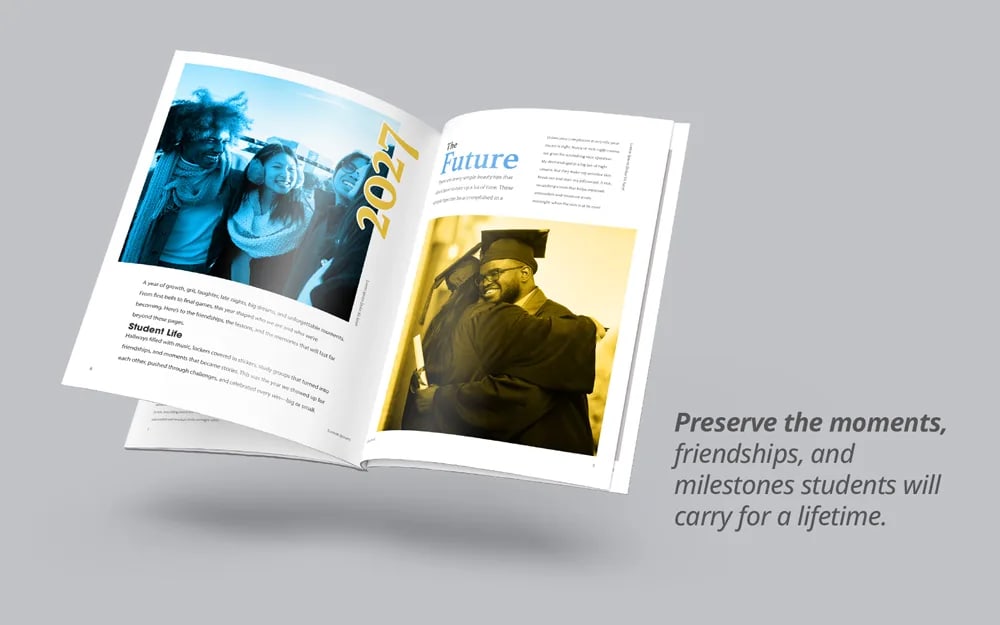
A custom yearbook is a fully personalized printed book that captures memories, events, and milestones. Unlike traditional yearbook services, custom printing gives you full control over design, layout, and quantity.
Our mission for this yearbook season is to help any new designer, PTA mom, student, or teacher get their professionally printed yearbook out on time, with style and perfection.
Common uses include:
- School yearbooks
- Sports team yearbooks
- Club memory books
Yearbooks become prized possessions to the students at the end of the year and hold cherished memories for years to come. Create something special this yearbook season.
Case Study
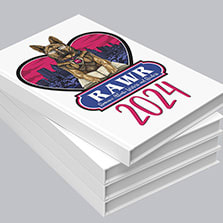
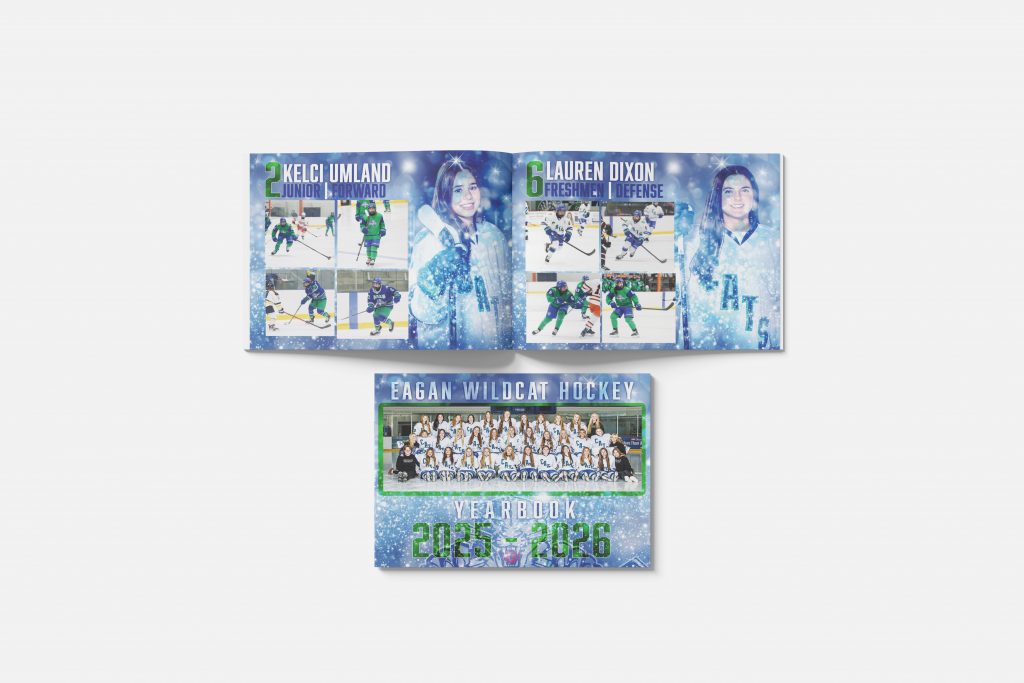
Jill Osiecki created a custom hockey yearbook to celebrate a high school girls team and the unforgettable season they shared together. Her project focused on capturing more than just game results, it told the story of friendships, growth, and moments that defined the team. Those special moments really shine through in this yearbook. Each laugh, score, and player profile is a lifelong memory engrained in print.
The Inspiration
“Something tangible that captures not just the wins and stats, but the laughter and friendships.”
The Challenge
PTA parents, teachers, and even students help with the yearbook and other school projects throughout the school year and like many yearbook creators, Jill needed a way to stay within budget, keep the creative control of the design, and to produce a professional-quality yearbook for her team.
Traditional yearbook services often come with higher costs and limited customization, which can make it difficult to fully personalize the project. Some even limit the quantities and images you can publish. With PrintingCenterUSA we are here to accelerate your yearbook design dreams to the max so together we can create a revolutionary yearbook that will keep students, parents, and coaches coming back to look each and every year.
The Solution
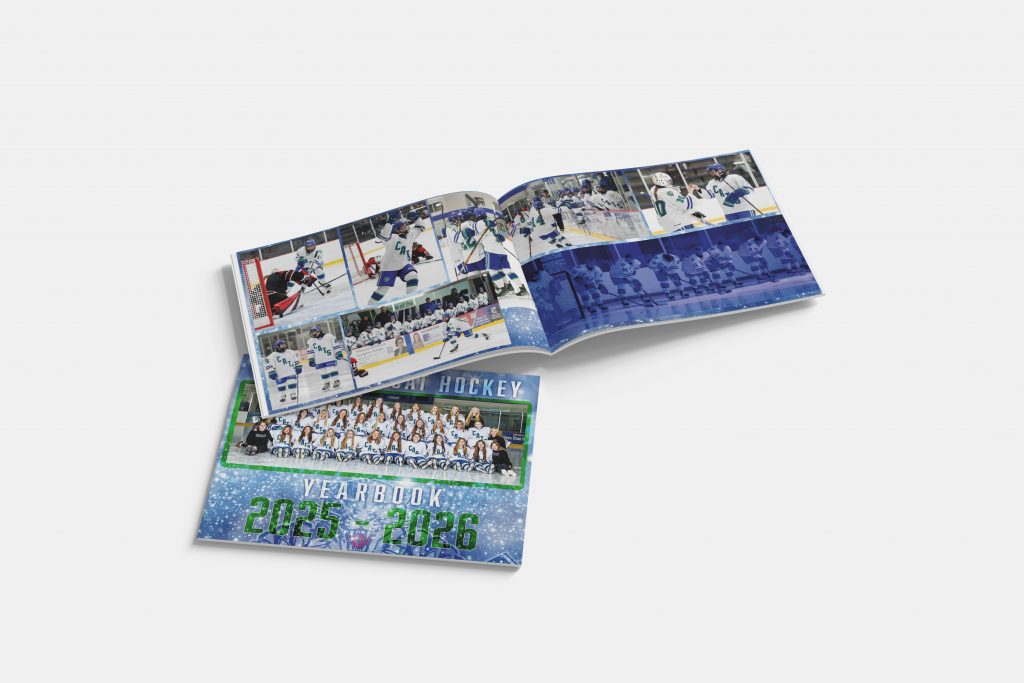
Jill chose a custom yearbook printing approach, helping her to design freely in any program she uses, print a limited number of copies for rarity and the team, and she used the best high-quality materials to showcase her team’s hockey yearbook.
What she created goes far beyond a traditional yearbook, it’s a heartfelt tribute to a season defined by hard work, laughter, and unbreakable bonds. Every page reflects the energy of the team and the memories they built together, giving these players something they can look back on with pride for years to come. This yearbook makes anyone want to head out to the ice with their best friends for a good game.
“Creating this high school hockey yearbook was inspired by the incredible bond these girls share and the memories they’ve built together on and off the ice. I wanted to give them something tangible that captures not just the wins and stats, but the laughter and friendships that define their season.”
The Impact
The final yearbook became more than a printed piece. It became a keepsake. Players now have something they can revisit years later, a physical reminder of their season, their teammates, and the memories they created together. The design goes beyond traditional yearbooks. This yearbook showcases the spirit of the team before you even open it.
Popular Yearbook Print Specs
Choosing the right print specs is one of the most important steps in creating a professional-looking yearbook. Your decisions around size, paper, binding, and quantity will impact not only how your book looks and feels, but also your overall budget and durability.
These options help match the program to the wedding style. Not sure which specs are right to match your project? Order a free sample pack from PrintingCenterUSA today and explore the options!
Timeline for Creating Your Yearbook
Before production begins: Take the time to gather all your photos and content, then map out your layout and design your pages so everything feels organized and cohesive. This stage is where your vision really comes together, and a little planning here will save you time later.
During production: You’ll upload your files, review your digital proofs carefully, and approve the final version with confidence, knowing everything looks exactly how you want it.
After distribution: Share the finished yearbooks with your team and celebrate the result, keep a few extra copies for future memories or new team members, and archive your digital files so you can easily reorder or revisit the project down the line.
How to Design a Yearbook Cover
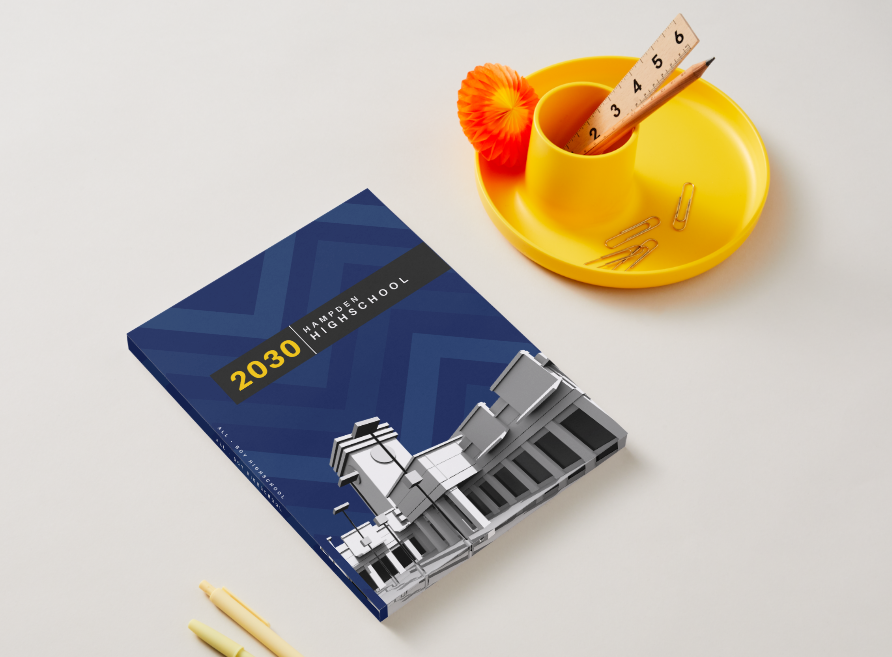
Your yearbook cover is the first thing people see. It sets the tone for everything inside. A strong cover should reflect your team or school’s personality while giving a preview of the memories captured throughout the book.
Start by choosing a clear theme or concept. This could be based on your season, school spirit, a slogan, or even a visual style like bold and modern or classic and timeless. Keeping your cover aligned with the overall theme of your yearbook helps create a cohesive look from front to back.
When designing your cover, focus on a few key elements:
- A strong title, such as your team name and year
- High-quality images or a standout graphic
- School or team colors for consistency
- Clean, readable fonts that match your style
Simple covers help the book speak for itself. Be sure to leave space to catch attention and foster curiosity. Choose one focal point, like a powerful action shot or a clean graphic design, and build around it. Create depth with layers in your design. This will make your pages pop and graphics stand out.
It’s also important to think about how your cover will print. Make sure your images are high resolution and your colors are set up correctly so they look just as good in print as they do on screen. Gloss finishes, like the high gloss UV used in Jill’s project, can add extra impact and make colors pop.
As you finalize your design, step back and ask yourself one simple question, does this feel like our team? If the answer is yes, you’re on the right track.
How Do You Make a Good Yearbook Picture?
Great yearbooks start with great photos. While design and layout matter, it’s the images that bring your story to life and make people feel connected to the memories on each page. The good news is, you don’t need professional equipment to capture meaningful, high-quality photos, you just need a little planning and awareness.
Start by focusing on moments, not just poses. Candid shots often tell a stronger story than staged photos, especially during games, practices, and team events. Look for genuine reactions like celebrations, laughter, and focus during key moments.

Make sure you’re capturing a variety of content so your yearbook feels dynamic and complete:
- Action shots during games or performances
- Team photos and group shots
- Close-ups of players or participants
- Behind-the-scenes moments like warmups or travel
- Crowd, fans, and environment details
Lighting is a very important factor in photo quality. Whenever possible, use natural light or well-lit environments, and avoid dark or blurry images. If you’re shooting indoors, try to stay close to the action and keep your camera steady to reduce motion blur.
It’s also helpful to organize your photos as you go. Create folders by event, date, or section so when it’s time to design your yearbook, everything is easy to find. This small step can save hours during the layout process.
If multiple people are taking photos, consider assigning roles or creating a shared folder where everyone can upload their best shots. This ensures you capture different perspectives and don’t miss important moments.
As you build your yearbook, choose your strongest images first and design around them. A powerful photo can anchor an entire page and make your layout feel intentional and professional.
And remember, you’re not just taking pictures, you’re preserving memories. Focus on capturing the energy, emotion, and personality of your team so your yearbook feels just as meaningful years from now as it does today.
Design Tips for a Better Yearbook
A few small design choices can make your program feel much more professional.
Helpful tips include:
- Use consistent fonts and colors
- Include plenty of white space
- Break content into sections
- Add personal photos or illustrations
- Highlight interactive elements clearly
These simple techniques make the program easier and more enjoyable to read. Use our Free File Review to ensure your prints will turn out perfect every time! Would you rather enjoy the programs without the hassle of design? Explore our partnered designers and find the perfect designer for your project today!
Many of our customers design their wedding programs in Canva because it is one of the easiest tools for creating beautiful wedding stationery. To make printing simple, we found a ready to use wedding program template you can customize in minutes. Just drag and drop your wedding photos, add your ceremony details, and your design is ready for print. Start with the template here: CANVA TEMPLATE LINK.
When your design is complete, make sure you download the file correctly for professional printing. Follow our step-by-step guide here to learn how to export your Canva design for print.
Related Print Products
When going to print with your yearbook you might be thinking of future print ideas or past events. Pair the yearbooks perfectly with matching postcards or other prints for summer events or new school year reminders. If you’re creating a yearbook, you might also consider:
- Event programs
- Team media guides
- Photo books
- Banquet booklets
- Team calendars
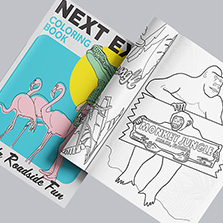
- School coloring books
Students and families cherish yearbooks, bring that impact into other areas of your school or program.
Planning Your Yearbook? Start with These Helpful Resources and Free Downloadable Guides
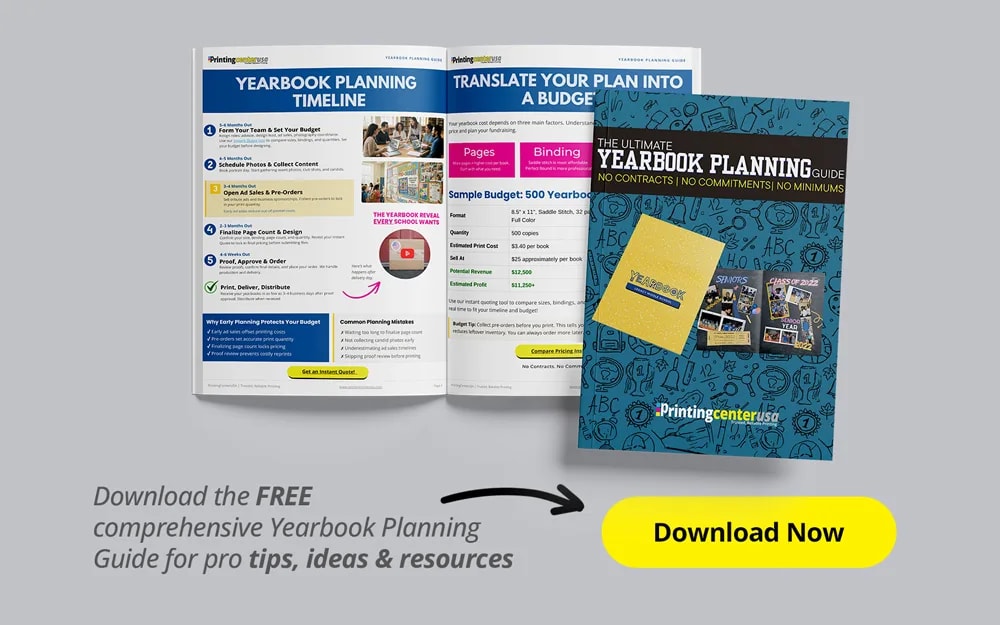
If you’re in the early stages of creating your yearbook, a little guidance can go a long way. From deciding what to include to understanding the value of custom printing, learning from real examples and expert tips can make the entire process feel much more manageable. Visit our yearbook page and download your free yearbook printing guide!
To help you get started, here are a few helpful resources to explore:
- Why creating a custom yearbook gives you more control, flexibility, and cost savings:
https://www.printingcenterusa.com/blog/why-you-should-create-custom-yearbooks/
- A practical breakdown of what to include in your yearbook, from team highlights to memorable moments:
https://www.printingcenterusa.com/blog/9-things-to-include-in-a-yearbook/
- A behind-the-scenes look at real customer inspiration and how others have brought their yearbooks to life:
https://www.printingcenterusa.com/blog/inside-the-ink-kristin-mccomb/
Spending a little time reviewing ideas like these can help you feel more confident in your approach and spark inspiration for your own project. When you’re ready, you can take what you’ve learned and start building your yearbook

FAQ Section
How much does it cost to print a yearbook?
Costs vary based on page count, paper, and quantity, but custom yearbook printing is often significantly more affordable than traditional providers, especially for short runs.
Can I print a yearbook in small quantities?
Yes, you can print as few as 25 to 100 copies, making it ideal for teams and small schools.
What is the best binding for a yearbook?
Perfect binding is popular for a polished look, while saddle stitch works well for smaller, budget-friendly books.
How long does yearbook printing take?
Most digital printing timelines range from a few days to a couple of weeks depending on quantity and shipping.
Do I need design experience to create a yearbook?
No, tools like the Free Online Design Tool and Canva templates make it easy for beginners.
Yearbook Printing Company
Ready to bring your yearbook to life? With PrintingCenterUSA, you can create a professional, high-quality yearbook with full control over your design, budget, and quantity. Start your custom yearbook today and turn your memories into something you can hold onto for years to come.