

















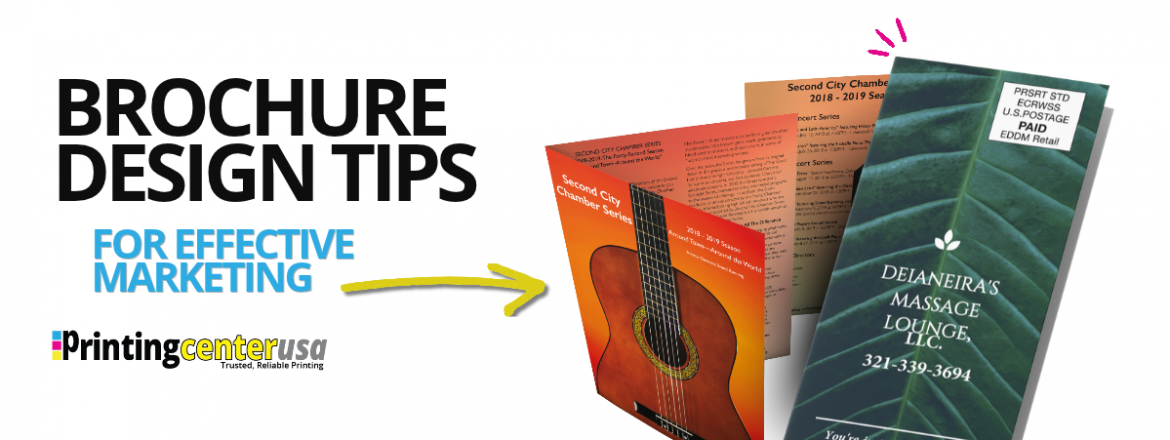
Brochure Design Tips for Effective Marketing
What makes a good brochure design? Sounds like a simple question, right? But there are many things to consider especially because good brochure design starts before you open a design program. How will your brochure be used? Are you trying to increase sales? Increase foot traffic in a museum? Explain your company’s services and pricing? Send mailers to potential or existing clients? Stand out at tradeshows? Tell people about your upcoming lecture? Create takeout menus for your restaurant? Give fans a schedule of upcoming sporting events? A brochure is a great way to educate others about your services or products. Whether you are providing information to patients in your office, telling potential customers about your services, or letting the community know about your upcoming event–knowing your purpose is the first step in creating a successful brochure. A quality printed brochure can tell the compelling story of your organization with pertinent beautiful graphics that will draw potential customers to your store, event or site. Getting clear on your message in your online brochure printing will help your customers understand exactly what you have to offer and where to find it.
What Makes a Good Brochure Design?

A good brochure design is simple It has one goal, one reader in mind, short copy, one strong image, and one clear next step for the reader. Design and write for that person, not for yourself. Make sure that your graphics catch the attention of your intended audience, that your copy answers their questions and informs, and that the layout, copy and graphics are compelling and make sense. Nobody is going to invest time in trying to figure out what you are saying, so do all the work for them. You have two seconds to catch the eye of a potential client, so make sure your graphics are simple and interesting enough to get their attention. Then once you’ve hooked them with your beautiful graphics, keep your copy short and sweet so that it will get read. Less is more
What is the Purpose of a Brochure?
The purpose of a brochure is to give a reader the specific information they need to take one specific next step. That can be based on a few things, like buying something, visiting your location, setting up for an event, or calling your office. Let’s not forget the most important thing about this brochure, who is it for and how will it be used? Is this a give away at a museum, information given out by your church or a call to action for your event? When someone opens your brochure, what will it say to them?
There are so many ways to incorporate brochures into your marketing. A brochure with a mailing panel can be sent directly to prospects or customers. Include in a sales packet, hand out in your store or put in a display. Use at tradeshows, lectures, events, restaurants, or attractions. Brochures are commonly used as inserts, pricelists, schedules, circulars, menus, product sheets, leaflets, and notices and are the perfect shape and size for handouts, reports, maps, and portfolios. To inform people about your business, charity, organization or cause, brochures are an efficient and affordable way to transfer information to the public.
What Types of Brochures Are There?
Most marketing brochures fall into four different types: product, company, advertising, and sales.
The right one all depends on your goal. Marketing brochures can be used in so many different ways. A product brochure is an affordable way to increase awareness of your product and increase sales. A company or corporate brochure will include a description of your firm and illustrate the image that your company would like to project. Promote your services, organization or product with an advertising brochure–used as a self-mailer, at point of purchase, or as a leave behind brochure to leave potential clients with a tangible product. Sales brochures are also useful as handouts when a client enters your store, something to take home and ponder.
Before designing pick the marketing type that fits your goal.


What is the Best Format for a Brochure?
The best format for a brochure is one that fits your messaging. The most popular fold formats are the half fold, the tri-fold, and the Z-fold. That said, the tri-fold works for most businesses. When designing, choose your fold type before you plan out your panels because the fold decides how many panels you have to work with. Here’s how all three folds compare.
- Half fold: One fold that creates four panels. It works well for menus and programs or anything with short content.
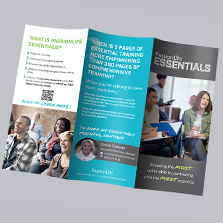
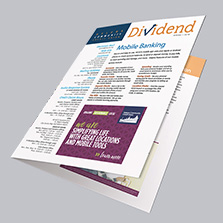
- Trifold: Two folds that create six panels. It provides enough room for a cover, summary, three inside panels, and a back panel
- Z-fold: Two folds in a zigzag pattern that creates six panels. It opens like one long strip, so readers will see your panels in order. It works great for storytelling content.
Once you pick a fold, you can plan on what goes in the brochure. Check out our brochure size guide to cover all sizes and folds.
What Should Be Included In a Brochure?
Brochures should include five main parts: a cover, an opening message, the main information, a call to action, and your contact details.
- Cover: The cover should have a strong image, your logo, and a short headline that will immediately tell people what the brochure is about.
- Opening message: The opening message should have a quick summary of what you offer and why it matters to the reader.
- Main information: The main information should include all the details your reader needs, like services, benefits, dates, and prices.
- Call to action: The call to action is the one next step you want the reader to take. It should be clear.
- Contact information: Your contact information should include your name, phone number, website, and location.
Plan your brochure one panel or page at a time. Carefully think through each panels purpose, content, and where it will land when the reader opens the brochure. On a standard trifold the cover is the front panel. The opening message is the first panel inside. The main information is on the inside panels and the call to action and the contact information go on the back panel.
Quick tip: Fold a blank sheet of paper the way your brochure will fold and number each of the panels. It’ll make it easier to see where everything goes. It can help you give every panel one specific job.
How Much Text Should a Brochure Have?
A brochure just needs enough text or content to get the reader to the next step. Great copy is often the most undervalued element in brochure design. It is also a visual part of the overall design concept. At the early stage of any brochure design project, experiment with the copy to see if it needs reworking. Your copy should be succinct, compelling and pertinent. Try this exercise to get you there. Write everything you think you need to say. Then cut that information in half. Then cut that information in half. What you are left with is the bones, the little hidden gem. Don’t be afraid to cut and edit, your readers will thank you. Most importantly, they’ll read what you have to say, which is the whole point! Also, keep these things in mind when creating content for your brochure.
- You are building your brand identity, every word and image matters. Create a provocative story!
- Become a credible source of information.
- Make a long lasting impression with straightforward, well-organized prose, that and the simple beauty of your graphic images.
- List prices and services.
- Provide contact information, web address, a map or guide if relevant.
- Educate and inform potential buyers.
Remember, you are handing out something tangible to a prospect, possibly the only thing they know about you. Use this opportunity to make an impact! If you have enough room include a short FAQ, a few quick tips, a customer quote, or anything that can help build trust.
How Do You Write a Good Brochure Headline?
A good brochure headline should tell people what’s inside in plain words. The headline should do a lot of the work. For example “Now open Saturday” tells a reader something. “Welcome” does not. With headlines throughout your content, include short subheadings so people can skim and still get the point.
What is a Good Call to Action for a Brochure?
Good calls to action for a brochure are to call this number, visit this website, scan this QR code, or come to this event. A good call to action will tell your readers exactly what to do next, so pick one main action and put it near your contact information so it is easy to find and complete.
What is a Good Font for a Brochure?
A good brochure font is easy to read at a glance and matches your brand font. If your business already has a brand font, start there. If not, try Helvetica, Lato, Open Sans, and Roboto for body text, and Montserrat or Playfair Display for headings. Here are a few pairs that work well together:
- Playfair Display for headings with Roboto for body text.
- Merriweather for headings with Roboto for body text.
- Garamond for headings with Arimo for body text.
Sizes to start with:
- Cover title: 28 to 40 pt
- Headings: 18 to 30 pt
- Body text: 10 to 12 pt and never smaller than 9 pt
Pair a serif font with a sans-serif font so they look different on purpose. If you’re using script or fancy fonts, use them for a short headline not the body text. Make sure the text color stands out from the background. Leave plenty of white space around your text and images so the page can breathe and nothing feels congested. Make sure that the colors convey the mood you’d like to get across and match the right image. Playful? Exciting? Calming? Businesslike? All these can be chosen by your color, images, and type choices.
What Kind of Images Work Best in a Brochure?
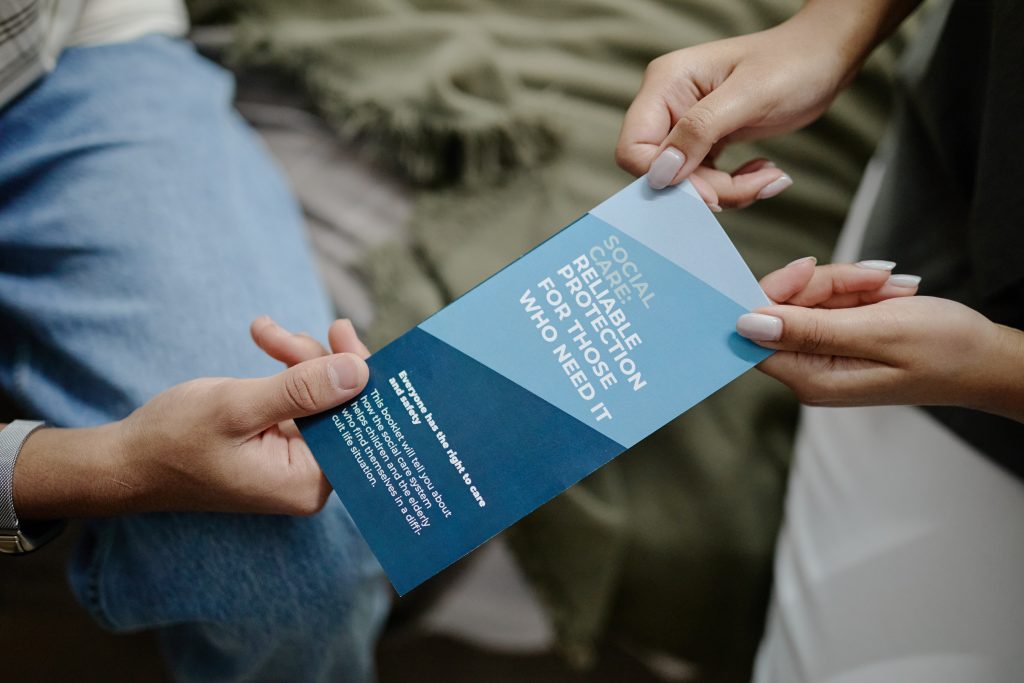
The best images are clear and full and connect to what your business does. Your brochure design needs to fit in with your business. Good photos or artwork can be used to emphasize whatever is important about your business. You can often find great stock images online, including textures for backgrounds, photos, artwork. You might want to show your location, photos of people or products, or interesting photos that show tools of the trade. For a sports brochure, use photos of team members and team colors in your layout. Or use photos of animals for a veterinarian, with photos of the building or inside shots, if the building is something you want to emphasize and you can get good photos. Simple is better, sometimes a closeup shot might have more impact than a distant shot. Make sure the artwork or photos speak for themselves.
It’s better to skip stock photos that look staged or pretty common if you can help it. Also check your image resolution before you print so your artwork is high quality. 300 DPI photos are recommended for the best print quality. Our DPI vs. PPI guide explains what to look for.
Where Can I Design a Brochure for Free?
You can design a brochure for free with Printing Center USA’s online design tool or with a template you can open in any design software you already own.
- If you don’t have your own design software, use our free online design tool to drag and drop your images and text to create a brochure. Create 8.5 x 11 trifold brochures and 11 x 17 half-fold brochures with our online photo design tool. Choose which online design tool you’d like to use according to your preferences.
- Already have your design software? Use our free downloadable templates to give you a quick start using your Adobe design software. Our templates ensure you have all the file requirements and specs correct the first time.
- Designing in Canva? Here’s how to print from Canva for the best print quality.
Already have your file designed? Now that you know exactly how to set up your pages, you can move forward without second-guessing your file. If you want to be sure everything is correct before you order, our free file review catches issues before they become problems.
Frequently Asked Questions About Brochure Design
How do you structure a brochure? Plan it one panel at a time. On a standard tri-fold the front cover grabs attention. The first panel inside gives a short summary, the three inside panels have the main message, and the back panel holds your contact details and next step.
Can ChatGPT design a brochure? ChatGPT can help you draft copy and plan what goes on each panel. It may not provide a full print-ready file. However it can create images for you and you’ll still need to check every fact and set up the file.
How do I design my own brochure?
- Start with your goal and your reader.
- Pick a layout.
- Write copy.
- Add images.
- End with one clear call to action.
Are brochures and pamphlets the same thing? The two words are often used to refer to the same thing. Brochures are usually folded and designed to promote a business, product, or event whereas a pamphlet is usually a simpler piece meant to share information.
When should I use a brochure instead of a flyer? Use a flyer for a quick message, like an event or a sale. Use a brochure when readers need more detail to make a choice, such as what you offer, how it works, and how to reach you.
What is the best program to create a brochure? It depends on your skills and your goal. Word processors like Google Docs or Word work better for simple brochures. Design programs like Adobe InDesign or Canva will give you more control over layout and images. Whatever you use, export a high-quality PDF for printing.
What size are brochures? The most common brochure size is 8.5 x 11 inches, folded into a tri-fold. Other popular sizes are 8.5 x 14, 11 x 17, and 11 x 24 inches.
How do I make a brochure double-sided? Design two pages, one for the outside and one for the inside. Save them together in one PDF with the outside page first.
Create Your Brochure Today!
Ready to create your brochure? Get an instant quote online or contact our team to discuss your project. Let us help you bring your book to life in the most beautiful way possible.
Why PrintingCenterUSA?
- Quality: Our commitment to top-notch printing ensures your book looks and feels professional.
- Speed: We offer fast turnaround times to get your book in your hands as quickly as possible.
- Expertise: Our team of printing experts is ready to guide you through the process and answer any questions you may have.
Hear from customers who have worked with us:
This is exactly what we were hoping for. Our brochure is beautiful and the quality feels fancy. Thank you.- Chinelle F.
Printing Center USA always comes through with phenomenal quality products! We’ve ordered brochures as well as catalogs a number of times over the last 7 years, and both their service and quality is always top notch!!! – Jonathan N.
The brochure for our event was stunning! The price was very competitive too. And communication with the company was easy and professional.- Donna F.