































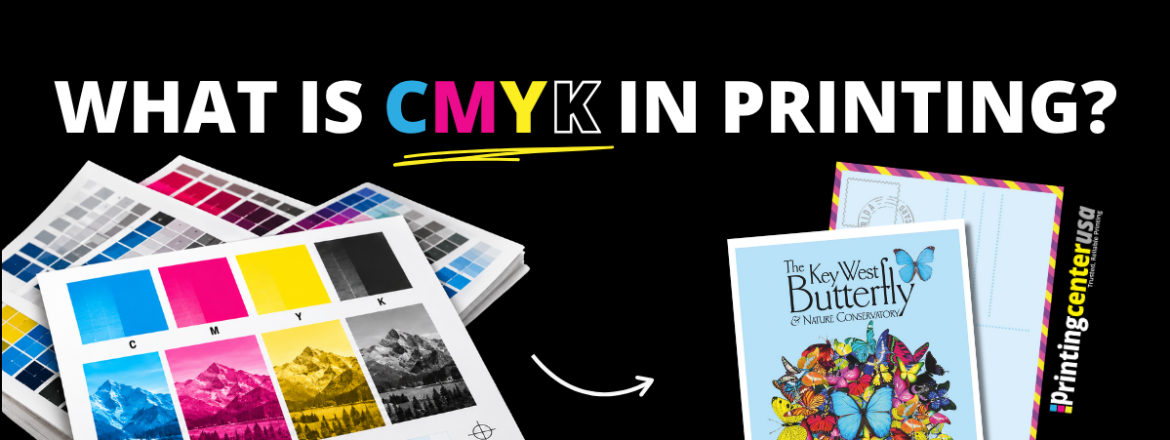
What is CMYK in Printing?
If you’re a designer, you know how important it is for your designs to come out exactly how you see them on your screen. Your background pink is bright, and the dark blue is the perfect shade paired with it to just make it all work. You’re now nervous that your printed greeting cards aren’t going to look exactly the same, so how do you get them to match? The answer comes down to CMYK, the color model printers use, and working it in your favor. Let’s go over color models, why they matter, and what CMYK is and how it’s used in printing so that you can get what you’re wanting.
What is CMYK?
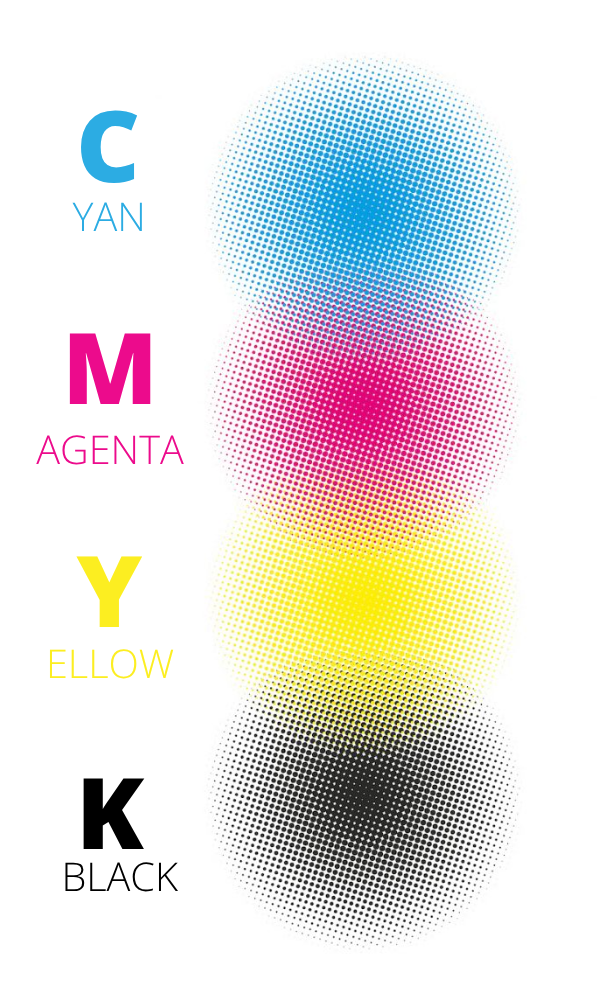
CMYK is the four-color ink model used in printing, sometimes called four-color process printing. CMYK is an acronym for cyan, magenta, yellow, and key. CMYK is used in the majority of color printing. Printing Center USA prints in CMYK instead of most commercial printers. Every color in an image is separated into those four different color values when printing. To understand why, think about how a screen makes color versus how a printed page makes color. A screen starts dark and then adds red, green, and blue light on top of each other to build up to white. Print works the opposite way. It starts with white paper, and white paper reflects every color of light back to your eye. Every time you add ink to that paper, you’re covering up part of that reflected light. The more ink you layer on, the less light bounces back, and the darker the color gets.
That’s why CMYK is called a subtractive color model. Instead of adding light to create color like a screen does, you’re subtracting light away from white paper. That’s the magic of CMYK. It lies in the ability to combine those four colors, those four inks, in different amounts and in tiny dot patterns to build any color you see in a printed item.
What Does CMYK Stand For?
CMYK stands for cyan, magenta, yellow, and key. Each letter is one ink. For example cyan is a blue-green that absorbs red light, magenta is a purplish-pink that absorbs green light, and yellow absorbs blue light. Whatever light is left bounces back to your eye as color so you mix the three in different amounts to build most of the colors on a printed page. The fourth ink, key, is black.
What Does the K in CMYK Stand For?
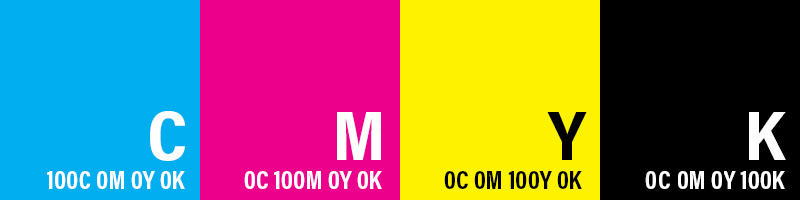
The K in CMYK stands for key. Key means black. Back in traditional printing’s heyday the key plate was the plate that carried the fine detail of an image and it was typically printed in black ink, which is why it’s referred to as key. The name stuck. Black ink’s job is to give dark areas depth and sharpen text and outlines so that your printing is very crisp.
Why is CMYK Used For Printing?
CMYK is the easiest color process to build color without light. Color only exists because of light. When light hits an object, some of it gets absorbed and some of it bounces back to your eye. Your eye reads whatever wavelengths bounce back, and your brain interprets that as a color.
Obviously, a piece of paper has no light source built into it, so it works off of whatever lighting is in the room. Printing has to solve that specific problem: how do you control color in something that has no light of its own? The answer is with ink. Ink absorbs part of the light hitting it and lets the rest bounce back. Each of the four inks in CMYK is built to absorb a different part of that light:
- Cyan ink absorbs red light and reflects blue and green.
- Magenta absorbs green and reflects red and blue.
- Yellow absorbs blue and reflects red and green.
When you layer different amounts of these inks, a printer can control what wavelengths get absorbed and what gets reflected to show the color you see. You can build most colors this way, but not a true black. When you put all three of the inks together, cyan, magenta, and yellow, it’s going to be muddy. That’s why key (black) is added as a separate ink. Obviously, black ink absorbs light across an entire spectrum, and so having that in there is what gives printed items real contrast and deep shadows. The three inks, cyan, magenta, and yellow, build the range, and black controls the depth.
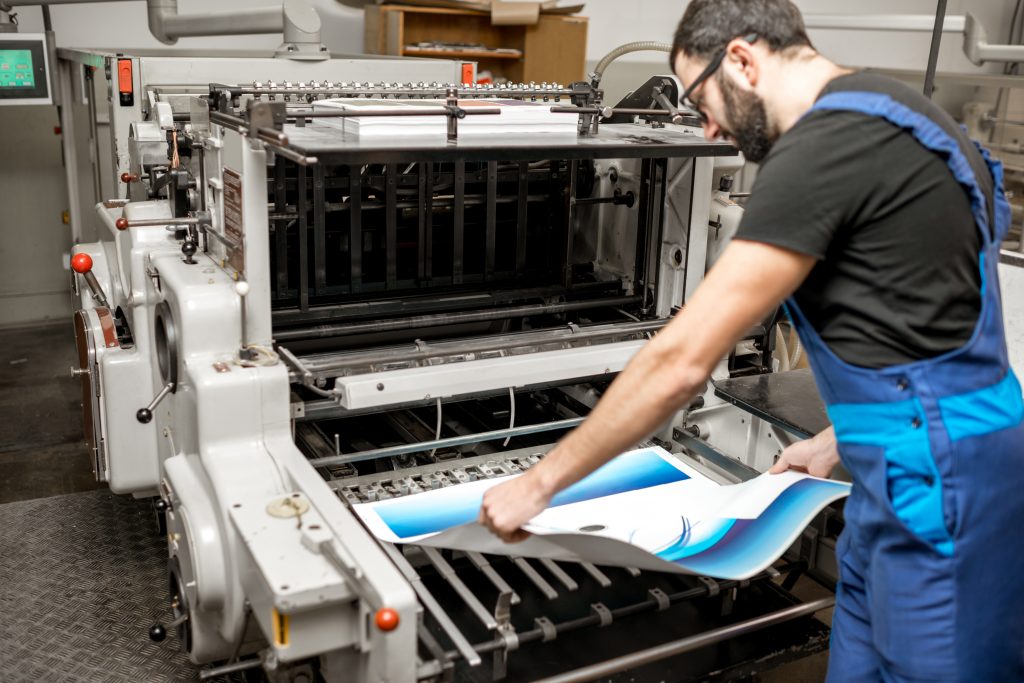
This is why CMYK is the universal standard for color printing.
What Is The Difference Between RGB And CMYK?
Simply put, RGB is built for screens, and CMYK is built for print. RGB creates color by adding light, and CMYK creates color by subtracting light with ink. RGB starts with a black screen and then adds red, green, and blue lights to build up to white. That’s why it’s called an additive color process. CMYK is opposite. It starts with white paper and then layers on the cyan, magenta, yellow, and key ink, and each layer absorbs a little more light. That’s why it’s called a subtractive color process.
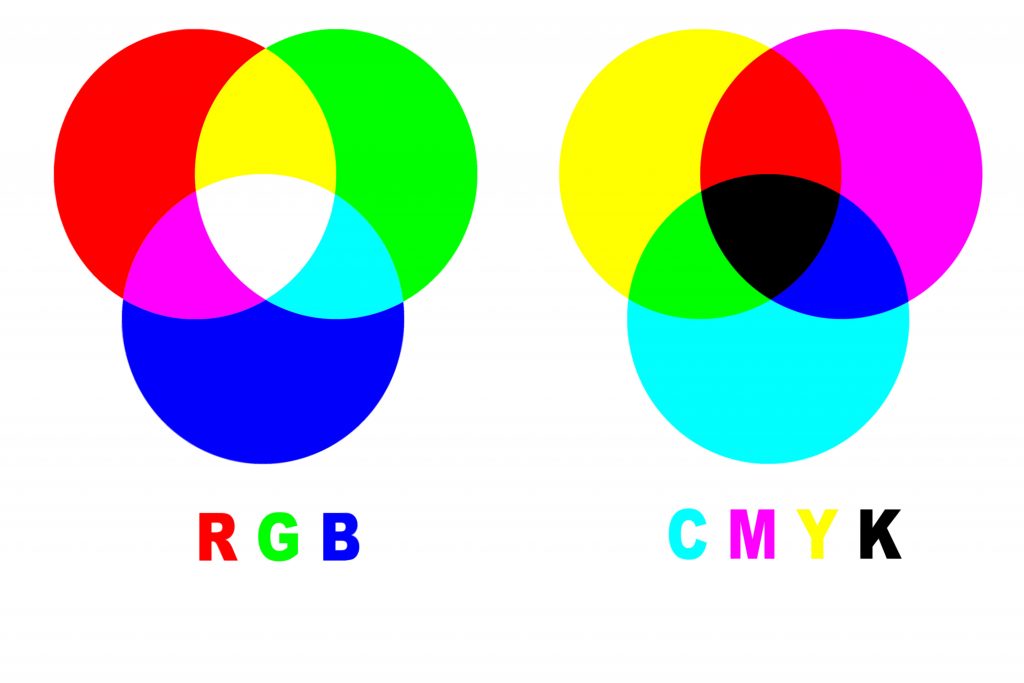
RGB has a much wider color range than CMYK. Light can produce a bunch of different shades that ink just can’t reproduce. That’s why sometimes you’ll see bright neon colors that look a lot duller once they’re converted to CMYK for printing.
If your design is only going to be shown on a screen, like for a website or social post, use RGB. If you need it for a printing project like booklets or business cards, use CMYK. Choosing your color process with thought behind it is what gives you the accurate, consistent result once you start printing. Regardless of whether you design your files in CMYK for printing, it has to be converted in order to print.
What Colors Does CMYK Struggle With?
Because there’s no light, CMYK can’t print every color or shade you see on a screen that you might have used in your design. Some colors, like neon greens, electric blues, hot pinks, and highly saturated purples, sit outside what CMYK can reproduce. We call these colors “out of gamut”, meaning they exist on your screen but fall outside the range of inks that CMYK can match. When a design has these colors, it’s going to swap in the closest color that CMYK can produce. This more than likely means duller and darker than what you designed. Red is a common example of this. If there’s too much magenta, it can come off a bit pink, or if there’s too much yellow, it can look orange. Metallic colors like gold and silver can’t be reproduced in CMYK at all. You’re just going to get an approximation instead of a true shine.
If you’re very concerned with color reproduction, talk to your printer and see if they have a specific color profile they use, and ask about a hard copy proof before you print. This is one printed example that gets sent to you before your order is printed. This is the best way you can see how your colors are going to look on paper. No matter what, you’re never going to get a full 100% reproduction. PrintingCenterUSA used the gracol settings and offers hardcopy proofs for $60.
It’s highly recommended to create your print design in CMYK to get the best ideas of how your colors will look.
CMYK vs. Pantone
Use CMYK for anything with multiple colors or photos. Use Pantone when one exact color has to match every single time.
CMYK isn’t the only full-color printing method. Pantone is the other major one, and it works completely differently. Pantone uses one premixed ink made specifically for that exact color, whereas CMYK is built with 4 inks.
CMYK printing can shift slightly from print run to print run, since the color depends on how the four separate inks lay down together and potentially what press it ran on. Pantone doesn’t have that problem because it’s one ink instead of four blended together. The color is going to come out identical every single time.
Pantone is the go-to for a logo or brand color that has to look exactly the same on every piece. Pantone can also produce the colors that CMYK can’t, like metallics. CMYK is more cost-effective. It uses the same four inks no matter how many colors in your design. Pantone charges per spot color, so a design using several exact colors is going to be a lot more expensive versus one flat rate for CMYK printing.
Pantone isn’t something every printer offers. Printing Center USA prints in CMYK, and it doesn’t match or print Pantone colors.
FAQ
How do you pronounce CMYK? CMYK is pronounced by saying each letter on its own: C-M-Y-K It’s not read as one blended word.
Does Canva use RGB or CMYK? Canva saves your design in RGB by default. If you have Canva Pro you can switch to CMYK. You can download your file in CMYK under File > Download by selecting PDF Print and choosing CMYK as your color profile. Printing Center USA recommends CMYK for the best print results.
Does Printing Center USA print Pantone colors? Printing Center USA prints in CMYK and doesn’t match your print Pantone colors. We highly recommend designing your file in CMYK. If sent to us in RGB, we will convert the file over.
How do I get the best color match between my screen and my print? Design your file in CMYK from the start instead of converting it later. Check your colors against the CMYK chart rather than trusting how they look on a monitor. For anything color-critical order a hard-copy proof so you can see your exact colors on paper before your full order prints.
What happens if I upload an RGB file to Printing Center USA? Printing Center USA will automatically convert RGB images to CMYK. It’s still considered best practice to convert your files to CMYK yourself before uploading since that gives you more control over how the colors will turn out.
Is CMYK or RGB better for print? CMYK is better for print. It’s built to work with ink on paper, while RGB is built for light on a screen so an RGB file has to be converted to CMYK before it can print accurately.
What is CMYK printing used for? CMYK printing is used for most printed materials, including business cards, brochures, flyers, packaging, and apparel. Anything that’s going to be printed rather than viewed on a screen typically uses CMYK.
Does Microsoft Word support CMYK? No you cannot save a document in CMYK with Word. Printing Center USA recommends saving your Word files as print-ready PDFs and we will convert the file automatically.
Put CMYK to Work
When designing for print, it’s highly recommended to design with CMYK. PrintingCenterUSA offers specific color settings that you can download and use for your file. If you’re ever unsure about the correct processes, you can reach out to one of our expert print advisors at 800-995-1555, Monday through Friday, 7 am to 6 pm MST. With over 50 years of experience, we’re ready to help you get started.
Start by getting an instant quote and bring your next printing project to life.